
Suprata for remodelers and kitchen and bath contractors
Sell the better kitchen, take the deposit, keep the homeowner calm
Remodeling is sold on choices and lost on silence. Suprata sends homeowners side-by-side options they sign online, takes the deposit the moment they say yes, and tracks the cabinets and tile on order. Shared job notes keep the homeowner in the loop without a call a day.
Sound familiar?
What a normal week looks like without the right system
We hear these from remodelers and kitchen and bath contractors all the time. Here is what Suprata does about each one.
When I give one number, people shop it. When I show them three levels of finish, they pick the middle one.
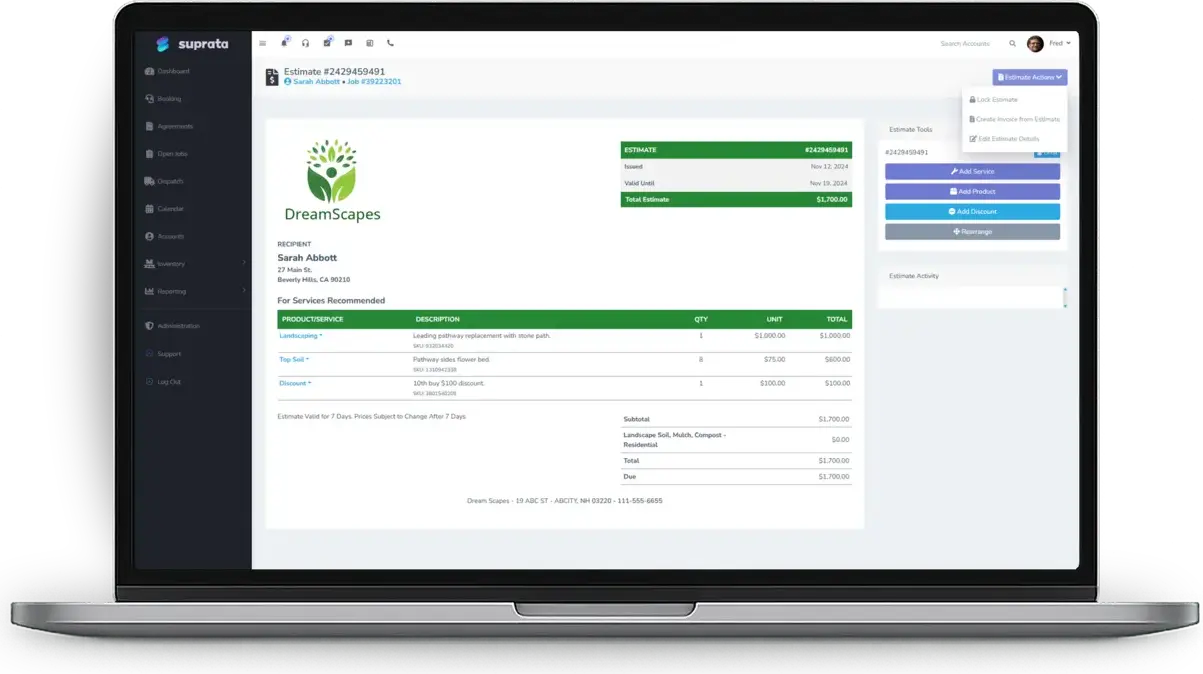
Good, better and best proposals put every option on one page, and the homeowner picks one, signs and pays the deposit.
I ordered custom cabinets on a handshake and then the homeowner changed their mind.
Set a deposit rule for special-order work, and nothing gets ordered until the deposit is paid.
The homeowner texts me every night asking what happened today.
Mark job notes as customer-visible and they build a Work Recap the homeowner can open any time.
Six months later the homeowner says we agreed to a different faucet.
Every accepted option, revision and signature is kept, with who accepted it and when.
What runs your day
The parts of Suprata that fit remodelers and kitchen and bath contractors
Suprata is a versatile workflow and business intelligence platform that delivers the power of custom software with ease and affordability. These are the pieces that matter most to you.
Suprata Estimate
Proposals with any number of options, a recommended one, revisions and online signing.
See Estimate Suprata Suite moduleSuprata Pay
Deposits collected at acceptance, then taken off the final invoice automatically.
See Pay Suprata Suite moduleSuprata Vendor
Cabinets, tile and fixtures on purchase orders, received to the job they belong to.
See Vendor Suprata Suite moduleSuprata Message
Customer-visible job notes, texts and a Work Recap the homeowner can open or print.
See Message Suprata Suite moduleSuprata Contract
Contracts, selections sheets and photos kept in the document library and shared by secure link.
See Contract Suprata Suite moduleSuprata Review
Ask every homeowner for a review at the end, and send problems to the owner first.
See ReviewA day in the life with Suprata
One ordinary day, start to finish
Here is how the work flows when every call, job, booking and payment lives in one place.
-
7:00 am
Crew day
Each crew sees today's job sites on the calendar. The homeowner gets a crew-on-the-way text.
-
9:00 am
Proposal opened
The owner sees a bathroom proposal was opened three times last night. That is a phone call worth making.
-
11:00 am
Yes and deposit
The homeowner picks the better option, signs and pays half up front. The deposit invoice is paid before anyone orders tile.
-
1:30 pm
Special order
The vanity and tile go on purchase orders. When they arrive, they are received straight to the job.
-
4:00 pm
Daily note
The lead writes a two-line update with photos and marks it customer-visible. It goes to the homeowner by text.
-
6:30 pm
Owner check
The owner reads the AI Assist summary of each open job before tomorrow.
See it on screen
Real Suprata screens
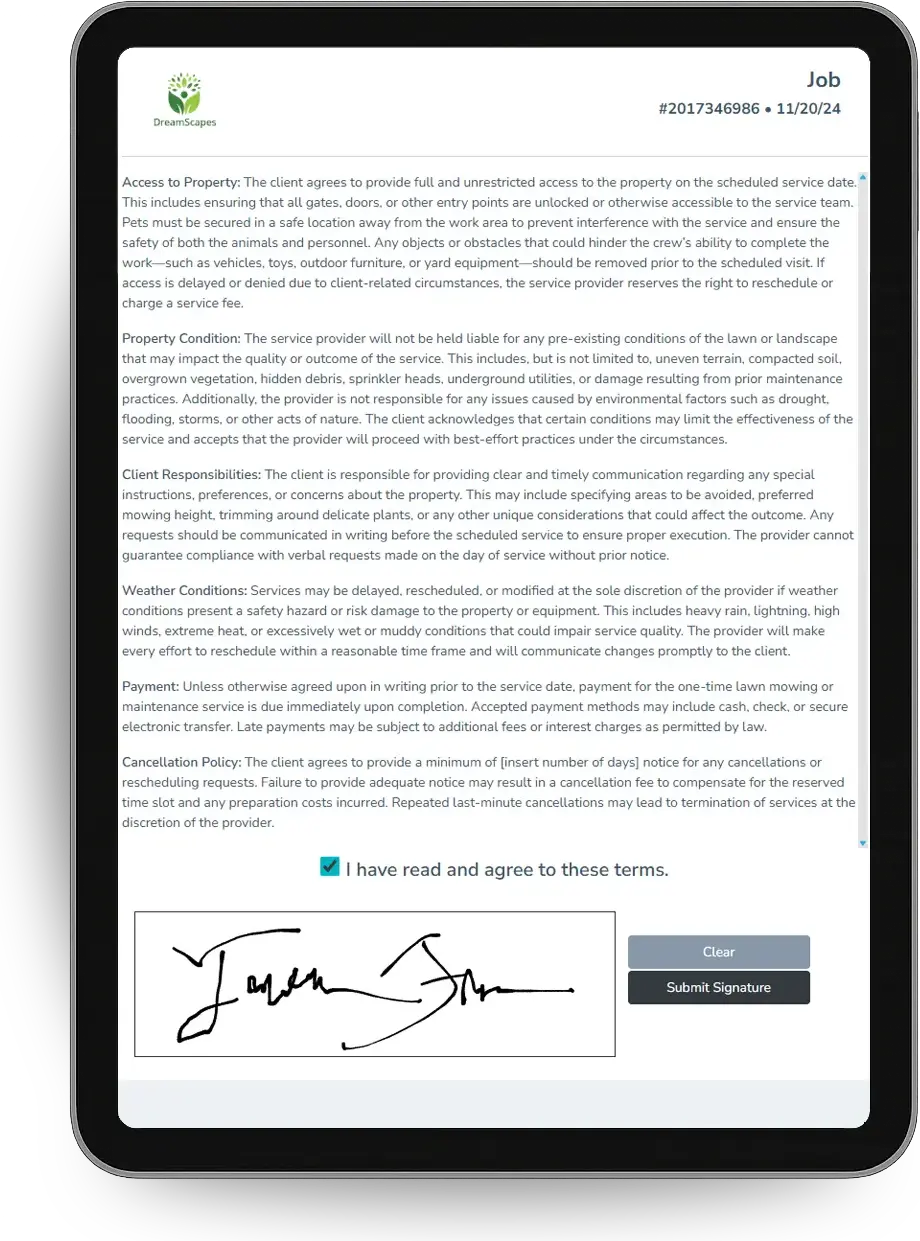
Sample data, real software. Every screen below comes straight from Suprata.
Questions we hear
Straight answers
Asked by remodelers and kitchen and bath contractors before they switch.
Can a homeowner choose between several finish levels?
Yes. A proposal holds as many options as you like. The homeowner compares them, picks one, signs and pays any deposit online.
Read: Good / Better / Best proposals — let the customer choose
What if they want changes after I send it?
Press Revise. A new version copies every option for you to change, and the old one is kept as a record.
Read: Good / Better / Best proposals — let the customer choose
Can I keep the homeowner updated without calling?
Yes. Choose which job notes the customer sees and text or email them on the spot. They add up to a Work Recap.
Read: Keeping customers updated: shared job notes and the Work Recap
How do I track materials I ordered for a job?
Order them on a purchase order from the job request, and receive them straight to that job when they arrive.
Something else? Call 888-494-4335, email hello@suprata.com or ask “Does Suprata do this?”
Close neighbors
Also built for



Ready when you are
Buy it tonight. Be running in minutes.
Start with Suprata Suite on your own, or let our team set it up around the way your remodeling business works.