A fine-grained permission catalog
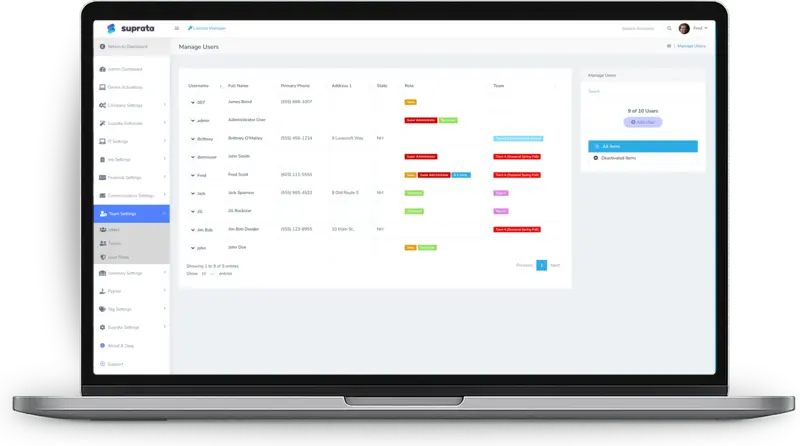
Separate permissions for settings, money, operations, customer data, time, pricing, reports and communications. Grant exactly what each job needs.

Security and permissions
Suprata controls who can see and do what with a fine-grained permission catalog, built-in and custom roles, and a history on every record. Dashboards, reports, AI and exports all follow the same permissions.
Suprata is a versatile workflow and business intelligence platform that delivers the power of custom software with ease and affordability. Buy Suprata Suite tonight and be set up in minutes. Then shape it as far as your business logic, intelligence and workflows need.
The controls
Every item on this page is documented in the help center. Follow the links to see exactly how each one works.
Separate permissions for settings, money, operations, customer data, time, pricing, reports and communications. Grant exactly what each job needs.
Start from seven seed roles. When you outgrow them, copy one and adjust it, so your role list stays short and clear.
Built-in roles explainedWhen to create a custom role (and when not)
See the home screen exactly as someone with that role will see it, before anyone signs in with it.
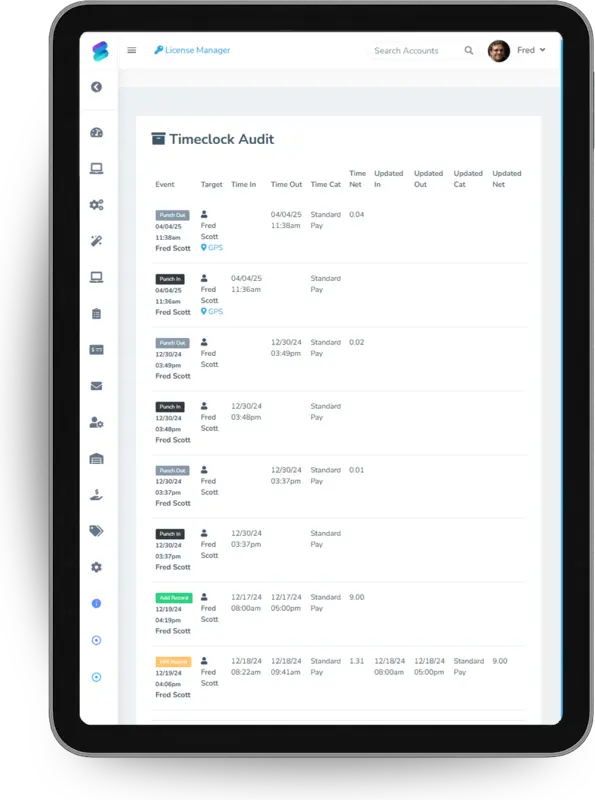
Invoices, payments, time entries, job statuses, approvals, plan changes, waitlists and tickets each keep their own history of who did what and when.
Correcting time entriesWhen a Payment Bounces or Lands on the Wrong Invoice
The customer list export is off for every role by default. Only roles you choose can download customer data.
Every account lives at its own address on suprata.com, including its own API address.
Only people with the Manage API Keys permission can create keys. Each key has a fixed scope and can be revoked instantly.
Deactivate a user and they are signed out on every device straight away, and cannot sign in again.
Saved cards are a secure reference. The card number itself is never stored on Suprata’s side, and card columns never appear in the API.
The permission catalog
Money out, customer data and settings each have their own permission, so a technician can do their whole job without seeing prices, payment methods or other technicians’ work.
| Area | What is controlled separately |
|---|---|
| Settings and admin | Company settings, user administration and integrations, each its own ownership-level permission. |
| Money | Create invoices, edit invoices, apply payments, issue refunds, apply credits and sync to QuickBooks are separate gates. |
| Operations | Create, edit and delete jobs, change job status, schedule appointments, and See All Jobs versus See Own Jobs for technicians. |
| Business units | Switch business units, and view all business units for company-wide totals. |
| Customer data | Create, edit and delete accounts, see saved payment methods, see full history and export the customer list. |
| Time and payroll | Punch in and out, administer the time clock, and see the audit of time-entry edits. |
| Pricing and inventory | Edit the price list, import price books, adjust stock and see item cost. |
| Reports and communications | Permission per report, sending email and texts, editing templates and reading inbound messages. |
Roles
Suprata ships with seed roles for common shapes of organization. Copy one to make a custom role, and preview it before anyone uses it.
Help articles:Built-in roles explainedWhen to create a custom role (and when not)Auditing roles periodicallyGiving a tech limited access
Audit trails
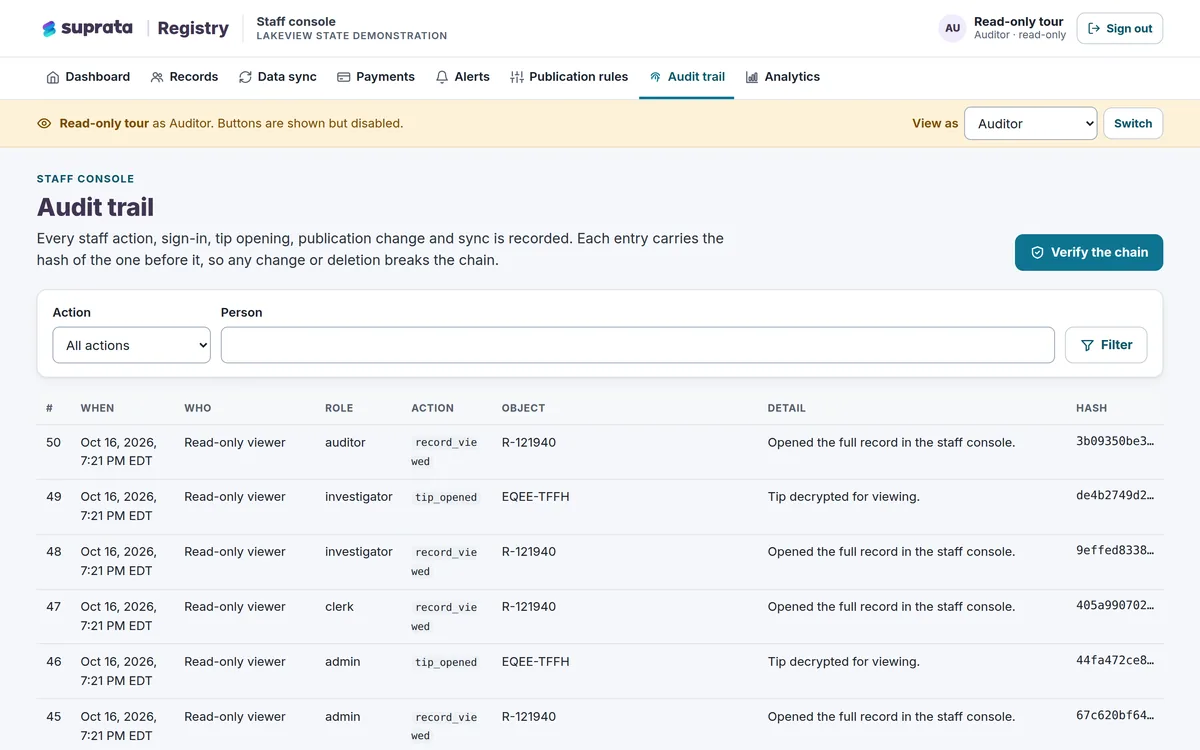
When someone asks “who approved this?” two years from now, the answer is on the record.
Help articles:Closing, reversing, and reactivating invoicesDocument approvalsChanging a Guest's Plan Mid-StayCorrecting time entries
Privacy built in
When staff connect their mailboxes, you decide mailbox by mailbox who else can read those emails.
Customers sign in with a one-time code that expires in 15 minutes, see only their own records and never touch your staff system.
AI reads only your account’s data, follows each person’s permissions, is not trained on your conversations and can be switched off.
AI Search — Asking Questions About Your BusinessYour Daily Brief
Answering a security questionnaire? Our team can walk your reviewers through how each control works. Call 888-494-4335 or email hello@suprata.com. Public agencies can also start at buying for the public sector.
From the help center
Every capability on this page is documented in the Suprata help center. Start with these articles.
More of the platform
Ready when you are
Suprata is a versatile workflow and business intelligence platform that delivers the power of custom software with ease and affordability. Start with Suprata Suite on your own tonight, or let our team shape it around the way you work.