
Reserve & Rent
Suprata Recreation
One system for recreation programs, family registration, memberships, facility rentals, leagues, the front desk and payments, with a phone app for the public.
Overview
What Suprata Recreation does
Suprata Recreation brings everything a recreation operation runs on into one place: classes, camps and events, online and front-desk registration, memberships and passes, shelter, field, room and court rentals, leagues, point of sale, check-in, staff scheduling, email and text campaigns, and reporting. Every family or customer has one account with their people, waivers, payments, passes and history, and every space lives on one calendar.
The public uses a mobile web app that installs to the home screen to browse, search in plain words, register the whole family in one checkout, reserve a space, show a pass and claim waitlist spots. Staff get a smart waitlist that enrolls the next eligible person automatically, multi-step rental approvals with contracts, dual-control refunds, daily reconciliation to the ledger, a capacity heat map and a revenue forecast. Fees, rules, roles, branding and features are set by the organization's own administrators, and a complete data export is always available.
Who it’s for
Built for organizations like yours
Recreation fits a wide range of organizations. Hundreds of organizations already run their work on the Suprata platform.
- City and town parks and recreation departments
- County park systems
- Park districts and special recreation districts
- University and college campus recreation centers
- Community colleges and school districts running community education and after-school programs
- YMCAs, community centers and other nonprofits that run classes and camps
- Private fitness clubs, gyms and climbing gyms
- Ice arenas, aquatic centers and sports complexes
- Youth and adult sports leagues and clubs
- Day camps and summer camp operators
- Venue, pavilion, hall and field rental businesses
- Nature centers, historic sites and museums that run programs and rent event spaces
- Senior and active-adult centers
- Military base morale and recreation offices
- Homeowners associations and residential communities with amenities
- Marinas, campgrounds and resorts with activity programs
- Hospital and employer wellness centers
Features
Everything Recreation can do
119 capabilities in 14 areas. Every one of them can be shaped to your rules.
Public app (residents and members)
- Mobile web app that installs to the home screen and also works as the desktop public portal
- Browse activities without signing in, with filters by category, age and day
- Plain-language search that understands age, day and activity (for example a Saturday art class for a 7-year-old)
- Suggestions for the family based on ages and past activity types, with a switch to turn them off
- Register several family members in one checkout with eligibility checked as you go
- Sign waivers on the phone or print them for a paper signature
- Cart holds spots on a countdown timer, with a button to extend the hold
- Join a waitlist and claim an offered spot from the app
- Reserve a shelter, field, room or court by picking an open time
- Buy and manage memberships and passes
- Phone pass with a QR code for check-in
- Account page with family members, signed-up activities, reservations, receipts, balances and saved payment methods
- Withdraw from an activity online
- Inbox of messages and alerts, plus notification and language preferences
- Spanish-language version of the public app
- Post-activity survey and download of personal usage history
Programs and registration
- Classes, camps, trips and ticketed events with fill bars against capacity
- Set the schedule once and class sessions are generated, skipping holidays and blackout dates
- Each program reserves its room or field on the facility calendar automatically
- Age rules (age on first day, September 1 or December 31), grade, gender and prerequisite checks
- Time-conflict check against the participant's other activities
- Resident and non-resident prices, with a later registration opening for non-residents
- Member discounts, second-registrant discount and fee assistance applied automatically
- Custom registration questions per program
- Payment plans with installments
- Smart waitlist: when a spot opens it checks the next person's eligibility, then enrolls and charges the card on file or holds the spot for a set number of hours
- Waitlist log with every offer, auto-enrollment and skip, and the reason
- Rosters with medical and accessibility alerts, CSV export and printable sign-in and sign-out sheets
- Attendance taking, transfers between sections and withdrawals with refund choice
- Cancel a single class and notify everyone enrolled; add an extra date
- Clone a program for the next season and bulk actions (turn online registration on or off, inactivate)
- Printable program guide brochure built from live program data
- Event tickets with single-use codes
Households and customer accounts
- One account per household or organization with all people, registrations, passes, rentals, payments, waivers, messages and history
- Duplicate check while typing name, phone and address when creating an account
- Residency check against an address service (or campus directory)
- Merge duplicate households while keeping the full history
- Staff notes and red alerts that show at registration and check-in
- Fee assistance awards with percent, dollar limit and dates
- Account credit adjustments, account status (frozen, suspended) and residency override
- Desk registration cart with timed holds and checkout by cash, check, card, card reader, bank transfer, phone wallet, gift card or account credit
- Printable receipts and a history export
Memberships, passes and check-in
- Annual, monthly auto-renew, punch-card and family plans
- Membership holds (freeze and unfreeze), renewals, date changes and key fob assignment
- Prorated refund to card or account credit when a membership ends early
- Check-in scanner using the device camera to read QR codes, member numbers, fobs and tickets
- Entry checks for dates, visits left, pass hours, age rules, account status and missing waivers, with the reason shown when entry is refused
- Staff alerts shown on scan
- Offline check-in from a saved pass list, synced when back online
- Self check-in kiosk mode for tablets
- Usage history per membership
Facilities, rentals and permits
- Every shelter, field, room, court, rink, gym and stage in one calendar with day, week, month and availability-grid views
- Map view of all sites
- Facility hierarchy (site, building, room, court) with rates, deposits and booking rules per facility
- Booking checks for conflicts, operating hours, turnover buffers, blackout dates and sunset times for unlit fields
- Recurring bookings that show every date and its conflicts before you confirm
- Rental fees by resident status, hourly or daily, plus extra charges from booking questions (alcohol, inflatables, electricity)
- Multi-step approvals set per facility type; each reviewer can approve, return or deny, and the customer is notified at every step
- Rental contract generated on approval, printable and downloadable as a PDF
- Security deposits taken and returned, and permit cancellation
- Field and facility condition status (open, caution, closed) with notes
- Calendar feed for staff calendars
- Approval speed and permit volume charts
Leagues
- Team registration and team fees
- Round-robin schedule generator that places games on real fields and courts
- Games block the facility calendar automatically
- Score entry and live standings
- Intramural rosters and eligibility for campus setups
Front desk point of sale
- Picture-tile menu for a touch screen or tablet
- Sells merchandise, concessions, day passes, rentals and gift cards
- Card payments through a semi-integrated card reader so card data never touches the computer
- Drawer totals for the day
Payments and finance
- Every payment, refund and decline with staff member, station and ledger code, filterable
- Refunds need a second person to approve, and the approver cannot be the requester
- Voids, chargebacks and decline follow-up emails
- Daily reconciliation of card batches to the processor settlement file before posting
- Daily ledger summary file by revenue code
- Cash-out by staff member and station
- Autopay for monthly memberships and payment plans with a retry schedule for failed payments
- Gift cards and certificates with unique codes, tracked as an outstanding balance
- Sales tax calculated on taxable items
Staff and instructors
- Weekly shift schedule by position and site
- Auto-fill open shifts only with people who hold the required certification and stay within their weekly hours
- Staff and instructor list with certifications and insurance certificates and expiration alerts
- Hours and labor cost for the week
- Instructor phone view: today's classes, tap-to-mark attendance and participant alerts, usable offline
Marketing and messages
- Email and text campaigns to saved segments
- Segment builder (children's ages, category, membership status and more) with live counts
- Campaign tracking codes tie registrations and revenue back to each campaign
- Preview, schedule or send, with results per campaign
- Per-topic subscriptions and opt-outs
- Log of every automated and manual message (confirmations, reminders, waitlist notices, permit updates, closures)
- Text message compliance with keyword handling, consent records and quiet hours
AI assistance (staff approve everything)
- Draft a clearer program description in a chosen tone
- Draft campaign emails for a segment
- Review queue where staff approve or reject every AI draft before anything is published or sent
Reports and insights
- Director dashboard: revenue today, registrations, check-ins, facility use, waitlists and everything waiting on approval
- 18 standard reports including revenue, registrations, attendance, facility use, memberships, permits, cash-out, ledger, refunds, sales tax, receivables aging, fee assistance, inclusion roster, waitlist, marketing attribution, setup schedule, contracts and instructor scorecards
- Report builder with saved versions
- Scheduled report delivery by email daily, weekly or monthly
- Exports to Excel, CSV, PDF, HTML and text
- Capacity heat map of busy and idle times with suggestions
- Six-month revenue forecast from seasonality, growth and existing bookings, with what-if changes
Administration and security
- Settings for defaults, blackout and holiday dates, categories and ledger codes, branding, waivers and forms
- Roles and permissions with view, add, change and delete rights by area; unlimited users
- Eight built-in roles: director, supervisor, front desk, program coordinator, finance, marketing, instructor and resident
- Single sign-on with the organization's own identity provider plus a 6-digit verification step for sensitive roles
- Security policies, security alerts and a list of recent sensitive actions
- Feature switches by environment, role and site
- Message, receipt, contract, waiver and survey templates with merge fields and translations
- Audit log of who did what, when, with before and after values, exportable to CSV
- Integrations page (address lookup, ledger, payment processor, calendars, digital signage, document storage, reporting tools, data migration)
- Documented REST API with scoped tokens and a live sample response
- Data dictionary generated from the live database
- Full data export on demand
Campus recreation extras
- Day, semester and academic-year locker rentals with optional towel service
- Equipment check-out by ID swipe or phone pass with overdue and damage charges
- Turnstile and card reader devices with live status
- Nightly student and employee eligibility import
Screens
See Recreation at work
Real screens from the working copy, filled with made-up sample data. Click any screen to enlarge it.
How it fits
One platform underneath
Suprata is a versatile workflow and business intelligence platform that delivers the power of custom software with ease and affordability. Recreation is built on it, so it shares the same engine, records and controls.
Workflow & automation
Approvals, work queues, reminders and rules move every Recreation request forward without anyone chasing it.
Business intelligence
Live dashboards for every role and custom reports built from your Recreation data, with an AI report builder.
Customer portal
The people you serve sign in to apply, book, pay, upload documents and check status, day or night.
Payments & billing
When Recreation takes money, card and bank payments, invoices and refunds land in one ledger.
Integrations & API
A documented API, webhooks and exports connect Recreation to the systems you already run.
Click around a working copy
The working copy of Recreation is filled with realistic, made-up data. There is no sign-up and no password. Pick a role and explore. Your changes stay in your own copy.
Related
Often used together
 Reserve & Rent
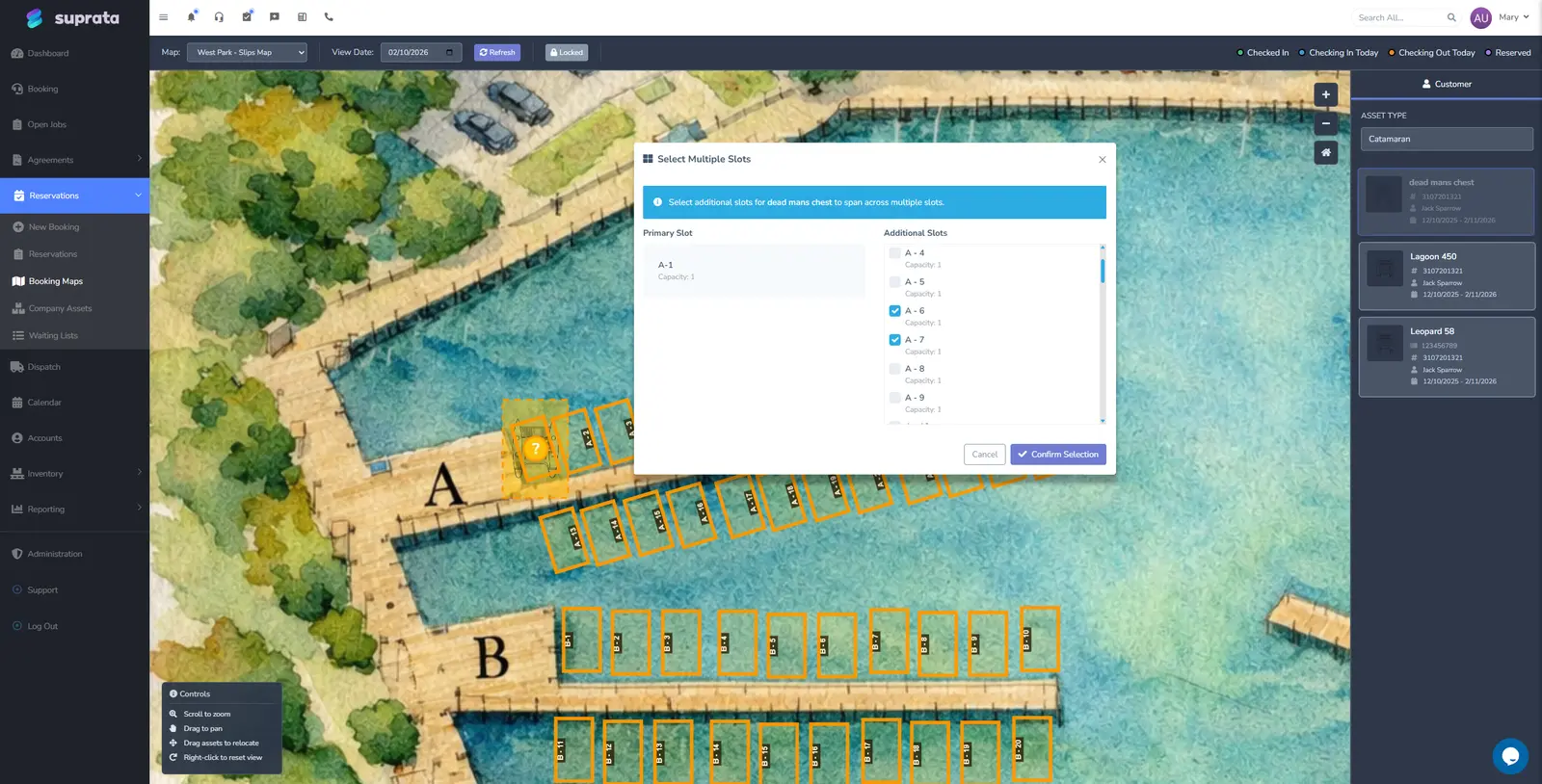
Suprata Marina
One system for every slip, mooring, site and lease: reservations, contracts, online booking and payment, point of sale, memberships and tenant…
Learn more
Reserve & Rent
Suprata Marina
One system for every slip, mooring, site and lease: reservations, contracts, online booking and payment, point of sale, memberships and tenant…
Learn more
 Training & People
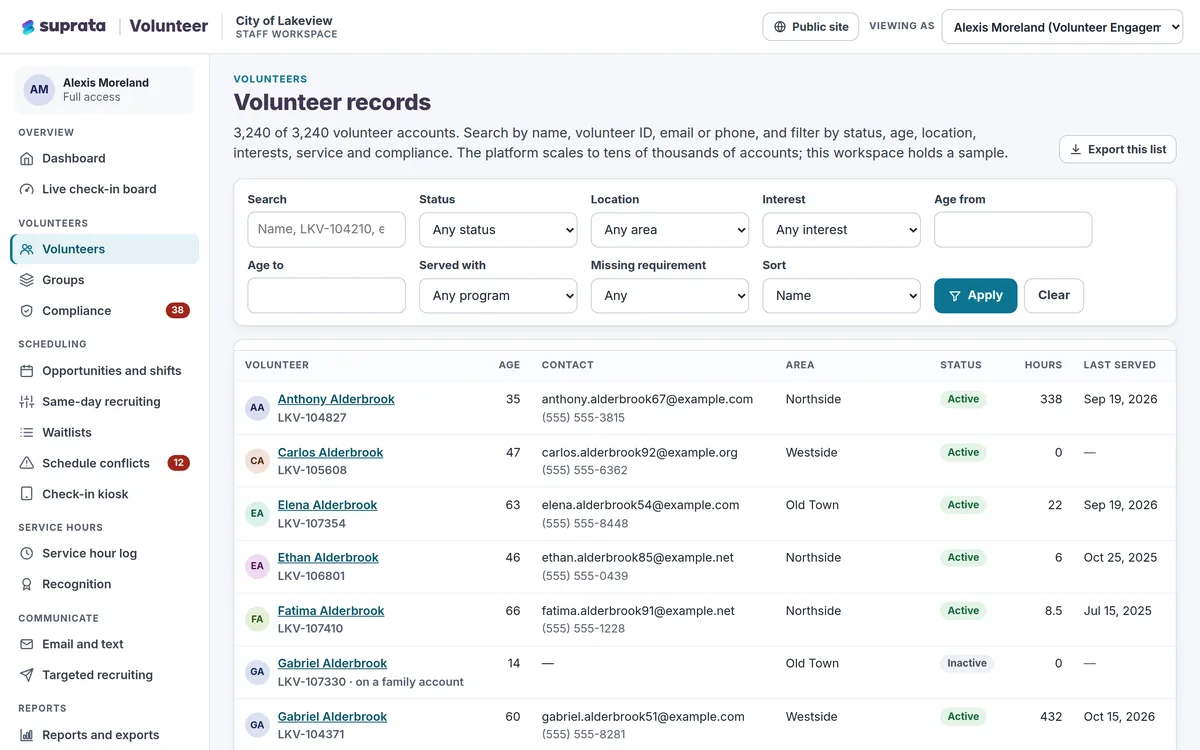
Suprata Volunteer
Recruit, screen, schedule, check in, thank and report on every volunteer in one place, with a phone-first sign-up that takes about a minute.
Learn more
Training & People
Suprata Volunteer
Recruit, screen, schedule, check in, thank and report on every volunteer in one place, with a phone-first sign-up that takes about a minute.
Learn more
 Reserve & Rent
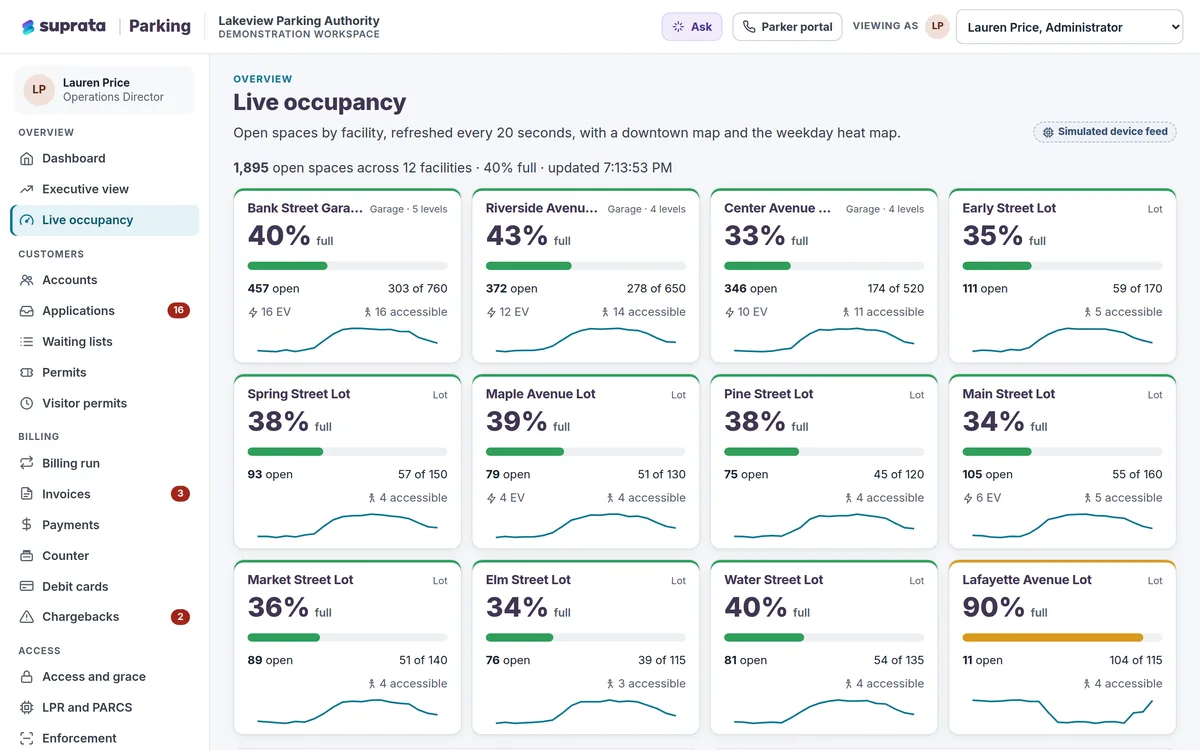
Suprata Parking
One system for parking permits, waiting lists, monthly billing, payments and the cameras and gates that let parkers in.
Learn more
Reserve & Rent
Suprata Parking
One system for parking permits, waiting lists, monthly billing, payments and the cameras and gates that let parkers in.
Learn more
Pricing
Ask about pricing for Recreation
Every organization is different, so we price Recreation around your size and needs. Tell us what you run and we’ll come back with a clear number.