Your daily brief
Every morning, each person gets a short list of what needs them today, worst first, with a link to every record. Owners also get a line on yesterday.

AI Assist
AI Assist reads your own records and turns them into something you can act on: a morning brief, a summary before every call, cleaner notes, answers to plain-English questions and reports on request. It is part of Pro Suite.
Suprata is a versatile workflow and business intelligence platform that delivers the power of custom software with ease and affordability. Buy Suprata Suite tonight and be set up in minutes. Then shape it as far as your business logic, intelligence and workflows need.
What AI Assist does
Each one is documented in the help center, including what it is good at and when to check the source record.
Every morning, each person gets a short list of what needs them today, worst first, with a link to every record. Owners also get a line on yesterday.
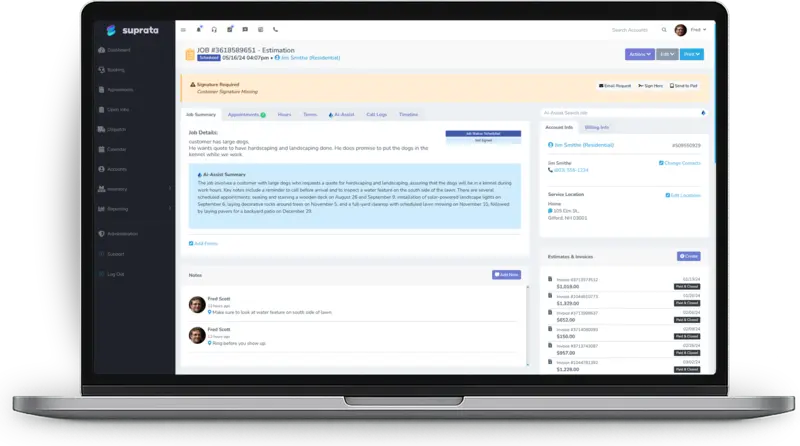
A paragraph at the top of every account and job: what kind of customer this is, what has happened lately and how things feel.
Every saved note gets an AI-cleaned version beside the original. Shorthand is expanded and typos fixed. The original is always kept.
Ask plain-English questions about your accounts, jobs, invoices and notes. “Any accounts we haven’t touched in six months?” gets an answer in seconds.
Describe the report you want. The assistant builds it, runs it and tells you what it assumed. Follow-ups change it on screen.
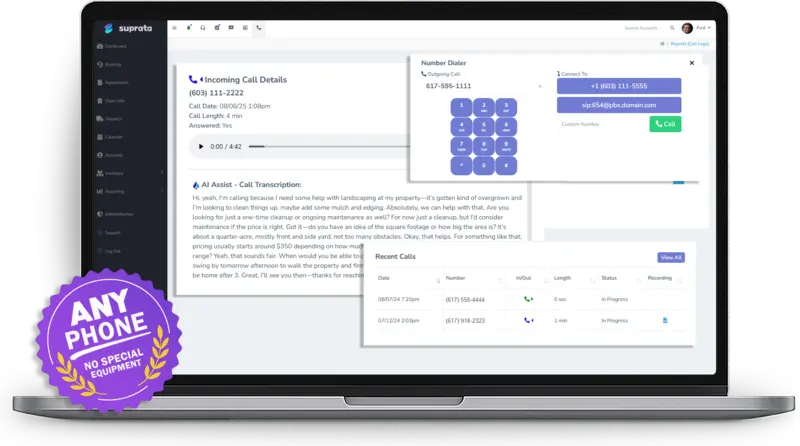
When call recording is on, the recording is attached to the account with an AI transcript. Voicemails arrive with a transcript too.
Making Calls From Suprata (And Why You Press 1)Missed-Call Text-Back and the Inbox
The daily brief
The brief is written from your customer email, your job notes from the last two days and your dashboard. A note like “call him Thursday if no answer” becomes a reminder on Thursday.
Help articles:Your Daily Brief
AI search and summaries
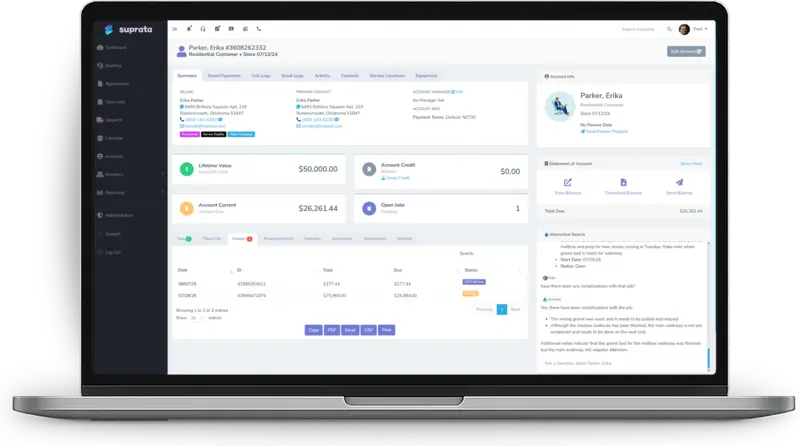
Open an account and the summary tells you what kind of customer this is and how things have been going. Ask the search box anything else, like “have there been any complications with that job?”
Help articles:AI Search — Asking Questions About Your BusinessAI Account and Job Summaries
Calls
When call recording is turned on, the customer hears a recorded-line notice, and the recording lands on the account with an AI transcript. Managers can follow a live call with Peek.
Help articles:Making Calls From Suprata (And Why You Press 1)Communication: customer calls, texts and email in one placeMissed-Call Text-Back and the Inbox
Built to be trusted
AI is excellent at reading, summarizing and spotting patterns. Suprata is designed around that, and around keeping your data yours.
AI search reads only your own account’s data. Conversations are not used to train the model.
The report builder sees only the kinds of data you can report on, never your customers or your numbers.
The brief follows each person’s permissions. A technician’s brief never mentions revenue.
If the brief mentions a job or invoice it was not given, that item is dropped before anyone sees it.
Cleaned notes sit beside the original wording, which stays the record for anything you quote.
One company setting turns AI summaries and assistants on or off for everyone.
More AI in the price list. AI can draw matching pictures for your price list, with the cost shown before anything is drawn, and draft your category tree and sort your items. AI Assist is included with Pro Suite. Briefs, questions and reports each use AI credits from your plan.
From the help center
Every capability on this page is documented in the Suprata help center. Start with these articles.
More of the platform
Ready when you are
Suprata is a versatile workflow and business intelligence platform that delivers the power of custom software with ease and affordability. Start with Suprata Suite on your own tonight, or let our team shape it around the way you work.