
Suprata for painting contractors
Room-by-room quotes, the right colors, and crews on the clock
Painting jobs are won on a clear quote and lost on a wrong color. Suprata builds the quote room by room, offers the homeowner a better paint as an option, and keeps the color list on the job where the crew can see it. Hours on the clock show whether the job made money.
Sound familiar?
What a normal week looks like without the right system
We hear these from painting contractors all the time. Here is what Suprata does about each one.
My crew showed up with the wrong color for the bedroom because it was on a napkin in my truck.
Record each room's color and sheen on the job, where the whole crew sees it on their phones.
I give one price and the homeowner shops it against three other painters.
Offer a standard paint and a premium paint as two options on one page, and let them choose.
Exterior jobs get rained out and I lose the week.
Move the job on the dispatch board and text the customer the new date from the shared inbox.
I bid a house at four days and it took six, and I only find out at payroll.
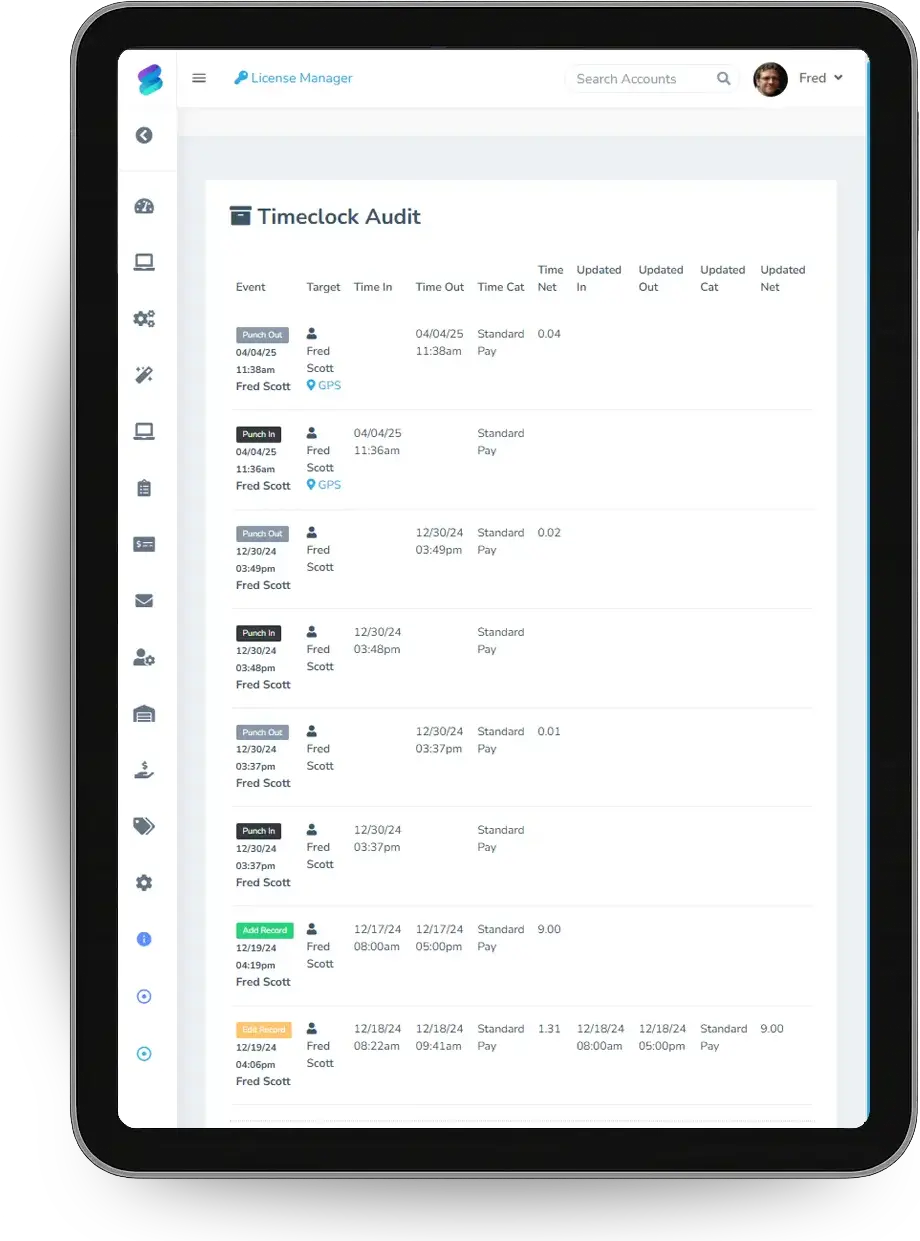
Crews clock in to the job, so hours against the bid show up while the job is still open.
What runs your day
The parts of Suprata that fit painting contractors
Suprata is a versatile workflow and business intelligence platform that delivers the power of custom software with ease and affordability. These are the pieces that matter most to you.
Suprata Estimate
Room-by-room quotes with paint-grade options the customer signs online.
See Estimate Suprata Suite moduleSuprata Job
Colors, sheens, notes and photos on each job, visible to the crew in the field.
See Job Suprata Suite moduleSuprata Team
Crew time clock on the job, with an edit log and payroll category report.
See Team Suprata Suite moduleSuprata Schedule
Crew calendar and dispatch board for moving exterior work around the weather.
See Schedule Suprata Suite moduleSuprata AI Assist
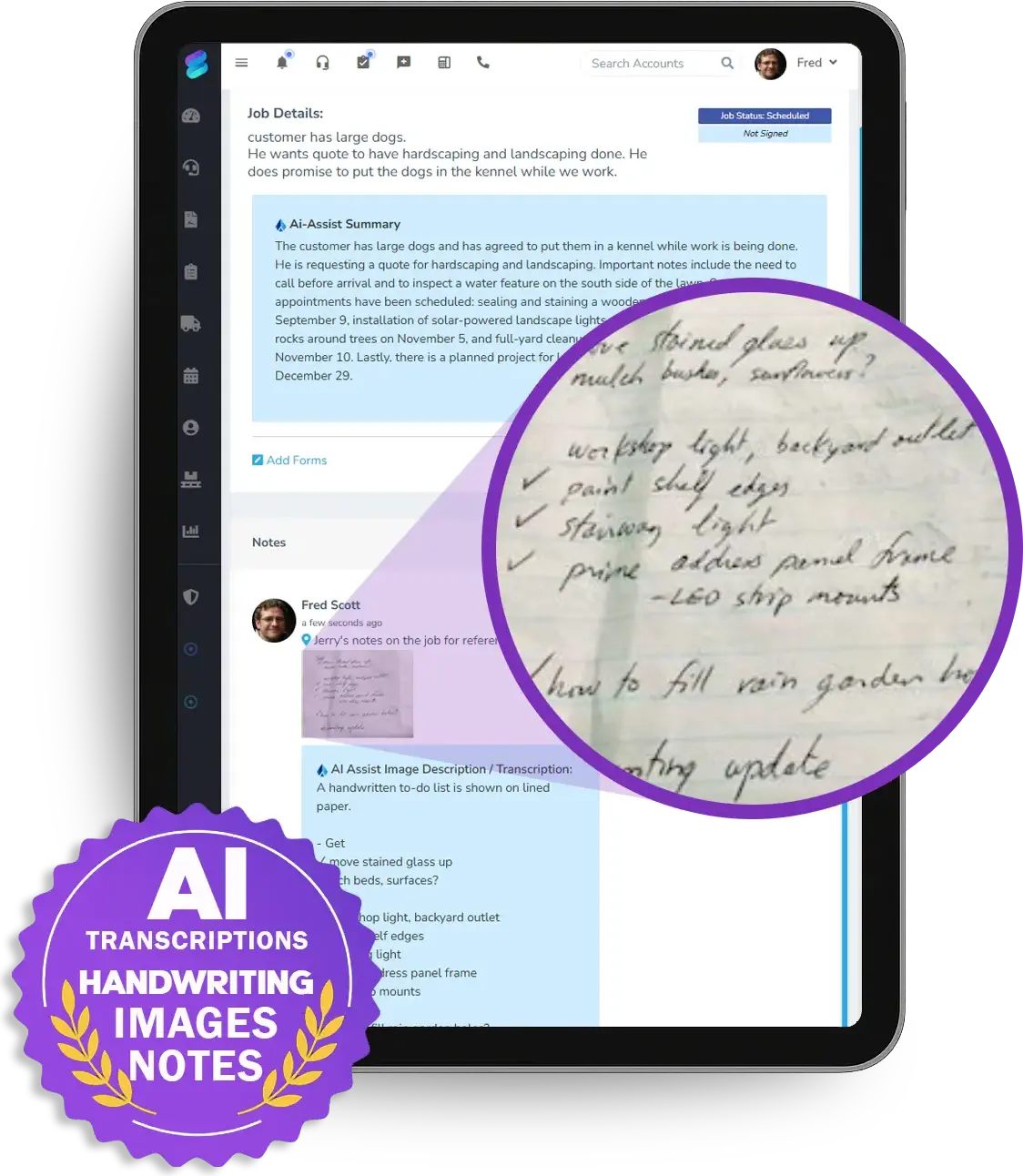
Photo and handwriting transcription turns a walk-through on paper into clean job notes.
See AI Assist Suprata Suite moduleSuprata Review
Ask every customer for a review at the end of the job, and send problems to the owner first.
See ReviewA day in the life with Suprata
One ordinary day, start to finish
Here is how the work flows when every call, job, booking and payment lives in one place.
-
7:00 am
Crew start
Crews clock in to their jobs. The job shows each room's color and sheen.
-
9:00 am
Walk-through
The owner walks a house with a notepad, snaps a photo of the notes, and AI Assist turns it into clean job notes.
-
10:30 am
Two quotes
He sends a standard paint option and a premium paint option on one proposal.
-
12:00 pm
Rain move
An exterior job moves to Friday on the dispatch board, and the office texts the customer the new date.
-
3:30 pm
Final walk
The customer signs off on the finished rooms on the crew lead's phone. After photos go on the job.
-
5:00 pm
Hours vs bid
The owner compares clocked hours to the bid on this week's jobs.
See it on screen
Real Suprata screens
Sample data, real software. Every screen below comes straight from Suprata.
Questions we hear
Straight answers
Asked by painting contractors before they switch.
Can I offer a better paint as an option?
Yes. Put each paint grade on its own option in one proposal. The customer picks one and signs online.
Read: Good / Better / Best proposals — let the customer choose
Can my handwritten notes go into the system?
Yes. AI Assist can transcribe a photo of handwriting and clean up notes. Staff review the result.
Can I see hours per job?
Yes. Time clock entries tie to jobs, and payroll categories turn them into a report for your payroll service.
How do I keep colors straight?
Add a custom form or field for room, color and sheen to your painting job type, so every job has the list.
Something else? Call 888-494-4335, email hello@suprata.com or ask “Does Suprata do this?”
Close neighbors
Also built for

Ready when you are
Buy it tonight. Be running in minutes.
Start with Suprata Suite on your own, or let our team set it up around the way your painting business works.