
Suprata for vacation rental managers
Every home, every turnover and every damage deposit in one place
A rental manager runs two businesses at once: guest stays and the field work that keeps the homes ready. Suprata books each home by name with its own rates, and schedules cleaners, hot tub service and repairs as jobs between stays.

Sound familiar?
What a normal week looks like without the right system
We hear these from vacation rental managers all the time. Here is what Suprata does about each one.
Saturday turnover is twelve homes, four cleaners and a group text that nobody reads.
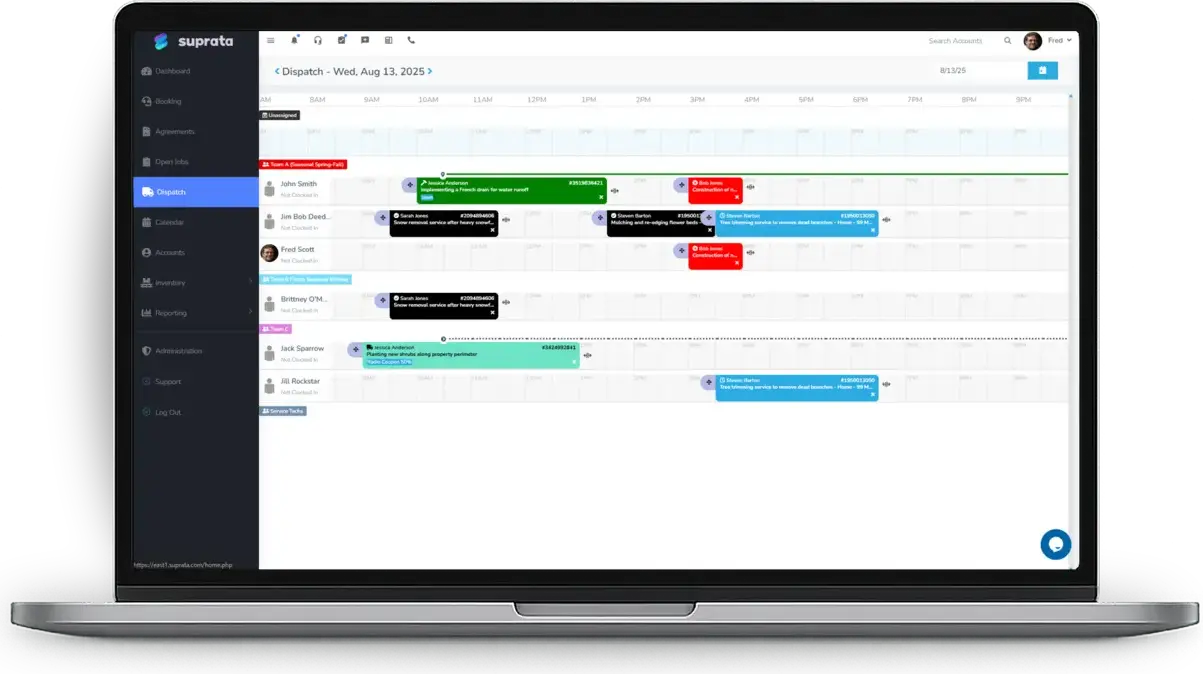
Each turnover becomes a cleaning job on the dispatch board, assigned to a cleaner with the address and the access notes.
The guest at the lake house swears the broken grill was like that when they got there.
Cleaners add photos to the turnover job, and a damage hold stays on the guest's card until the home is checked.
Every home has its own peak weeks, and I keep all the rates in one giant spreadsheet.
Give each home its own rate plan with seasons, weekend rates and minimum stays.
Two of the towns we manage in charge different lodging tax, and I do it by hand.
Point each home's stay line at an item that carries that town's lodging tax, and the tax report breaks it out by jurisdiction.
What runs your day
The parts of Suprata that fit vacation rental managers
Suprata is a versatile workflow and business intelligence platform that delivers the power of custom software with ease and affordability. These are the pieces that matter most to you.
Suprata Reservations
Each home is its own bookable unit with a rate plan, deposit rules, a rental agreement and online booking.
See Reservations Suprata Suite moduleSuprata Schedule
The dispatch board lines up cleaners and maintenance techs across every home on turnover day.
See Schedule Suprata Suite moduleSuprata Job
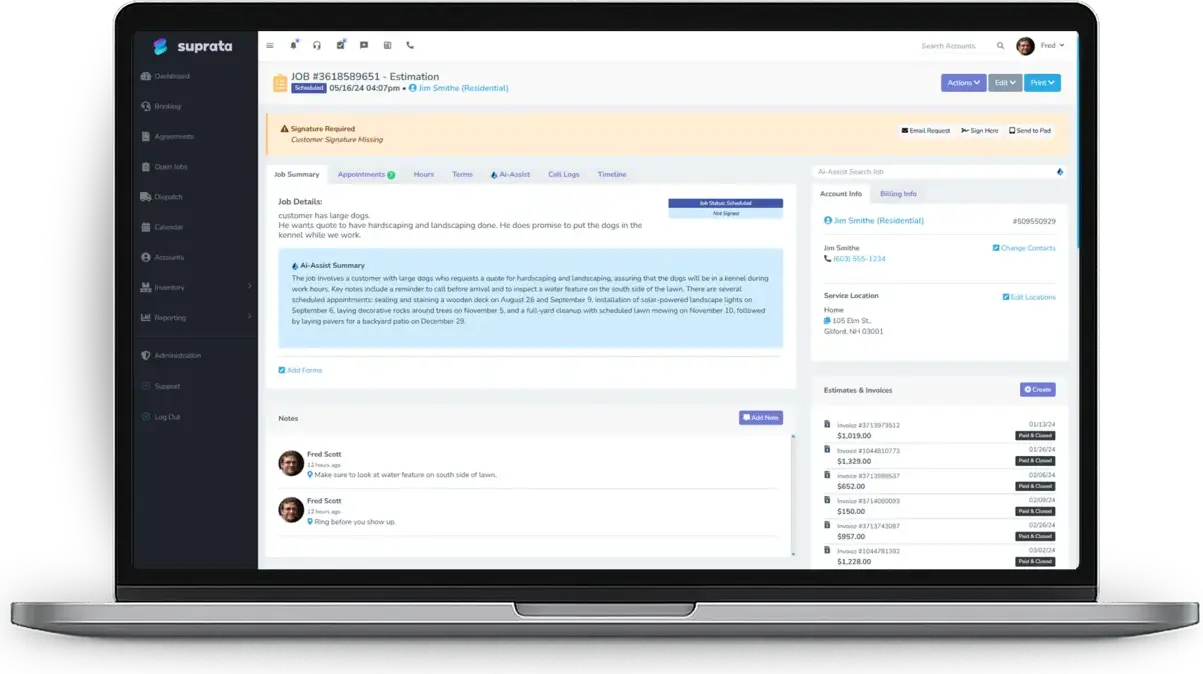
Cleaning, hot tub service and repairs run as jobs with photos, notes and signatures.
See Job Suprata Suite moduleSuprata Pay
Damage holds on the card, deposits at booking and refunds to the original card.
See Pay Suprata Suite moduleSuprata Tax
Lodging tax lives on the stay item, with tax reported by jurisdiction.
See Tax Suprata Suite moduleSuprata CRM
Homes keep their gate codes and access notes, so the crew never calls the office to get in.
See CRM Suprata Suite moduleSuprata Review
Ask each guest for a review after the stay, and problems reach the owner before anyone else.
See ReviewA day in the life with Suprata
One ordinary day, start to finish
Here is how the work flows when every call, job, booking and payment lives in one place.
-
7:30 am
Turnover board
The operations manager opens the dispatch board: twelve cleaning jobs across four cleaners, ordered by checkout time.
-
9:00 am
Cleaner on site
The cleaner opens the job on a phone, reads the access note and adds photos of the kitchen and the deck.
-
11:00 am
Damage found
A cracked patio table shows up in the photos, and the office charges part of the damage hold.
-
1:00 pm
Hot tub service
The recurring weekly hot tub service for three homes is already on the schedule.
-
3:00 pm
Arrival details
The office texts arriving guests their check-in details from the shared inbox.
-
6:00 pm
Booking for August
A family books the beach house for a week on the website, and the peak rate and deposit apply.
See it on screen
Real Suprata screens
Sample data, real software. Every screen below comes straight from Suprata.
Questions we hear
Straight answers
Asked by vacation rental managers before they switch.
Does it sync with the big listing sites?
The help center does not describe a direct sync with outside listing sites. Guests can book on your own website through the booking widget, and custom integrations are available. Ask us.
Can it send owner statements and pay out owners?
Owner statements and payouts are not a built-in feature. Invoices and payments sync to QuickBooks Online or Xero, where you can handle owner accounting.
Can cleaners use their phones?
Yes. Jobs, photos and signatures work in the phone and tablet web app, and photo uploads can wait for a signal on most modern devices.
How do damage deposits work?
Take the deposit as a hold on the card. Release it after the home is checked, or charge part of it for damage.
Something else? Call 888-494-4335, email hello@suprata.com or ask “Does Suprata do this?”
Close neighbors
Also built for

Ready when you are
Buy it tonight. Be running in minutes.
Start with Suprata Suite on your own, or let our team set it up around the way your vacation rentals business works.