
Suprata for auto repair shops
Run the shop from the bay, not from sticky notes on the counter
A repair shop lives on approvals, parts and phone calls. Suprata keeps each car's work, the customer's yes, the parts on order and the invoice on one job. Customers get updates by text, and fleets get one statement a month.
Sound familiar?
What a normal week looks like without the right system
We hear these from auto repair shops all the time. Here is what Suprata does about each one.
We find a leaking water pump halfway through a brake job, and then I spend an hour chasing the customer for a yes.
Send the added work as a priced option by text; the customer approves and signs on their phone, and the job records who said yes and when.
Half my phone calls are people asking if their car is done.
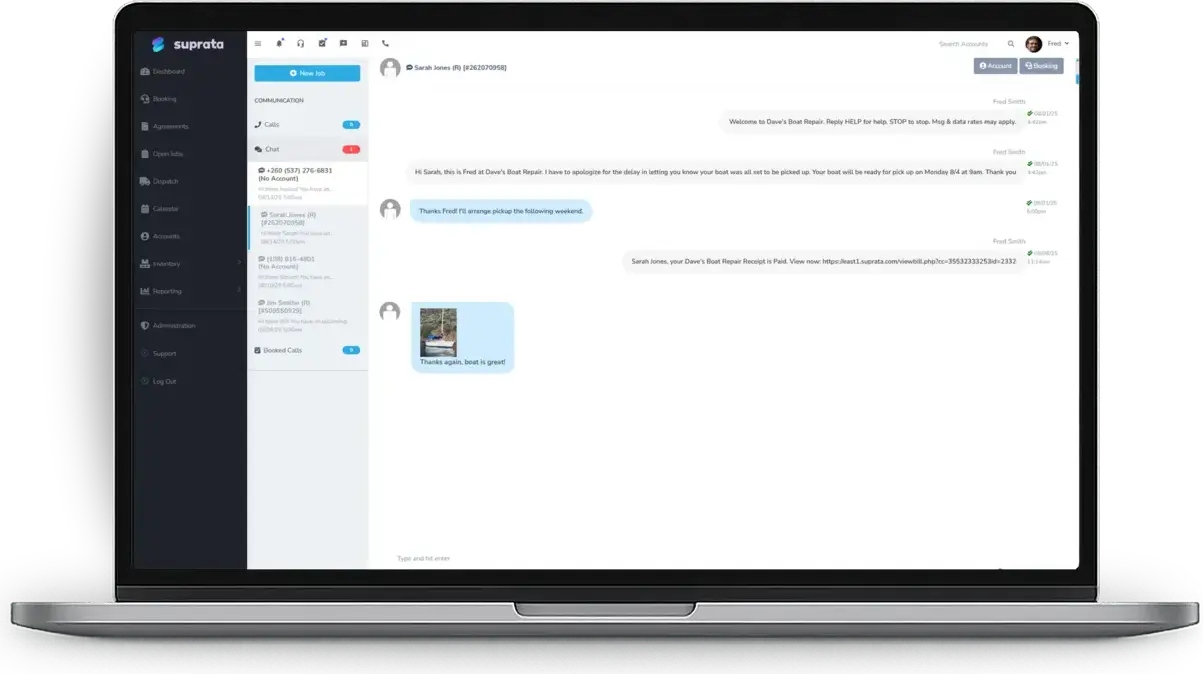
Write a job note and send it to the customer by text on the spot, so they hear from you before they think to call.
The part comes in Thursday, but nobody remembers which car it was for.
Purchase orders are raised from the job, and parts can be received straight to the job that is waiting for them.
The rental company and the dealer down the road both send me cars, and their bills are a mess every month.
Set them up as billing accounts: the work stays on the driver's history, and the invoices land on one monthly statement for the payer.
What runs your day
The parts of Suprata that fit auto repair shops
Suprata is a versatile workflow and business intelligence platform that delivers the power of custom software with ease and affordability. These are the pieces that matter most to you.
Suprata Job
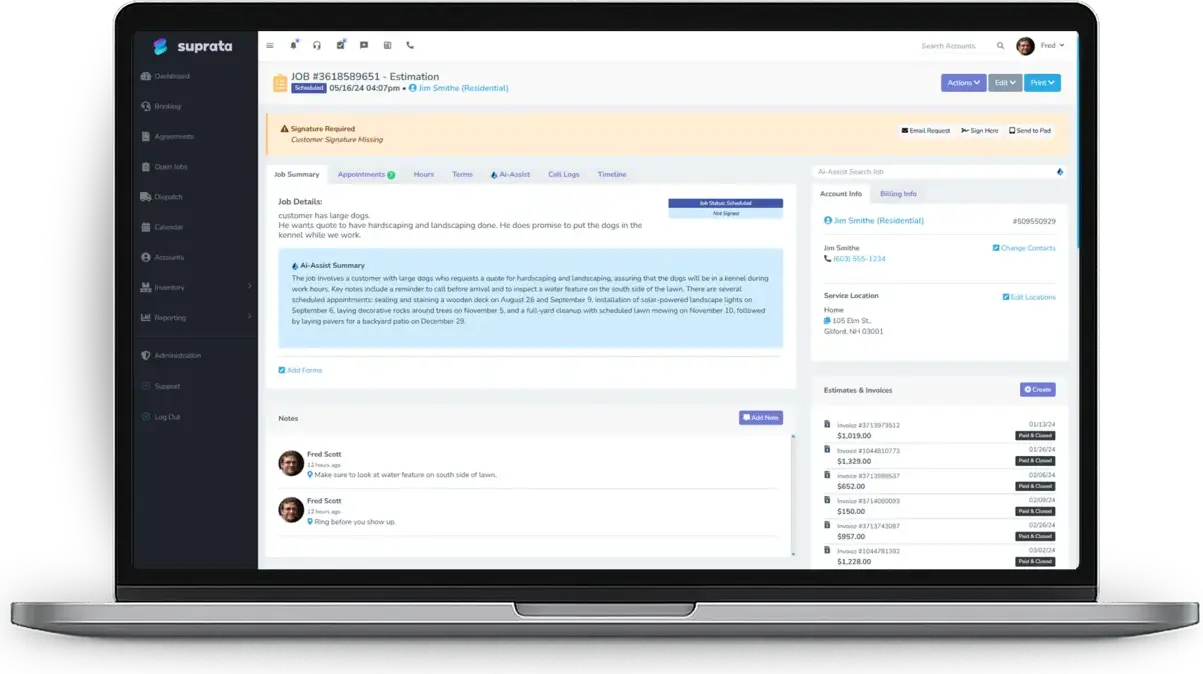
Each repair is a job with its notes, photos, parts, labor hours and status, from drop-off to pickup.
See Job Suprata Suite moduleSuprata Estimate
Repair-or-replace options on one page, approved and signed online, with a deposit on special-order parts if you want one.
See Estimate Suprata Suite moduleSuprata Inventory
Track the filters, pads and fluids you stock, and order the rest on purchase orders tied to the job.
See Inventory Suprata Suite moduleSuprata CRM
Each customer's cars are kept as assets on their account, so every visit adds to that car's service history.
See CRM Suprata Suite moduleSuprata Message
Texts for drop-off confirmations, status notes and the car-is-ready message.
See Message Suprata Suite moduleSuprata Invoice
Finished jobs roll their parts and labor into a draft invoice, and fleets get statements on their own terms.
See Invoice Suprata Suite moduleSuprata Review
Ask every customer for a review after pickup, and send problems to the owner first.
See ReviewA day in the life with Suprata
One ordinary day, start to finish
Here is how the work flows when every call, job, booking and payment lives in one place.
-
7:30 am
Drop-offs
The front counter checks in the morning's cars against today's jobs. Each key tag matches a job number.
-
8:15 am
Daily brief
The owner reads a short AI brief of what needs attention today: jobs waiting on parts and invoices past due.
-
10:40 am
Approval by text
A tech finds worn rotors on a brake job. The service writer sends two priced options, and the customer picks one and signs from work.
-
12:30 pm
Parts arrive
The parts delivery is received against the purchase order. The rotors go straight to the job that was waiting.
-
3:45 pm
Car is ready
The job is marked complete and the invoice is built from it. The customer gets a ready text with a pay link.
-
5:30 pm
Close the day
Payments are matched, the fleet invoices go to their billing account, and review requests go out to today's customers.
See it on screen
Real Suprata screens
Sample data, real software. Every screen below comes straight from Suprata.
Questions we hear
Straight answers
Asked by auto repair shops before they switch.
Can a customer approve extra work without coming back to the counter?
Yes. Send the estimate or a set of options by text or email. The customer approves and signs on their phone, and the job shows who accepted and when.
Read: Good / Better / Best proposals — let the customer choose
How do I bill a fleet that sends me many different drivers?
Make the fleet a billing account. Each job stays on the driver's account, and the fleet's invoices show up together on its statement and aging report.
What if a car comes back with the same problem?
Open the return visit as a new job tied to the original. The first job stays closed, and you can see how often comebacks happen.
Does it sync with my accounting?
Yes. Closed invoices, payments and customers sync one way to QuickBooks Online or Xero.
Read: The Job-to-Invoice Chain: From Service Call to Synced Payment
Something else? Call 888-494-4335, email hello@suprata.com or ask “Does Suprata do this?”
Close neighbors
Also built for

Ready when you are
Buy it tonight. Be running in minutes.
Start with Suprata Suite on your own, or let our team set it up around the way your auto repair business works.