
Suprata for self-storage facilities
Rent units, bill every month and stop chasing late tenants
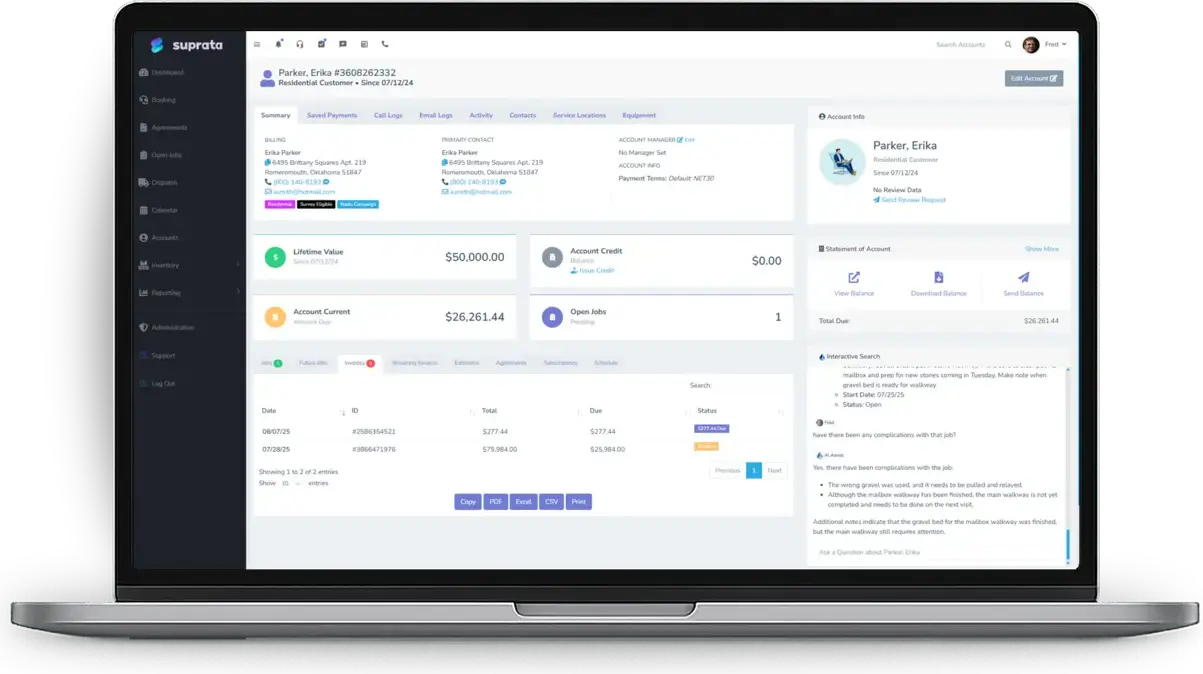
Suprata Suite runs a storage facility from one screen. Each unit size is its own type, every unit sits on your facility map, and monthly tenants are billed on schedule with proration and late fees handled for you. Tenant ID, signed agreements and insurance paperwork live on the reservation, not in a filing cabinet.
Sound familiar?
What a normal week looks like without the right system
We hear these from self-storage facilities all the time. Here is what Suprata does about each one.
Half my tenants move in mid-month, and I'm doing the proration on a calculator at the counter.
Long-stay billing prorates the first month by the day, by the half month or not at all, set once per unit type, and the nightly settlement run makes the invoice.
The same twelve people pay late every month, and I never charge the late fee the same way twice.
Late-fee rules apply the fee automatically after your grace period, flat, percentage or whichever is greater, with a per-tenant override when you choose to waive it.
Someone calls asking if we have a 10x15 open, and I have to walk the rows to check.
Book by type: each unit size is a pool, the tape chart shows how many are free on any date, and the map shows which ones.
Our insurance carrier wants proof of tenant coverage, and I have a shoebox of expired forms.
Required documents per unit type track photo ID, the signed agreement and insurance, can block or warn at booking, and remind tenants before anything expires.
What runs your day
The parts of Suprata that fit self-storage facilities
Suprata is a versatile workflow and business intelligence platform that delivers the power of custom software with ease and affordability. These are the pieces that matter most to you.
Suprata Reservations
Each unit size is an asset type with its own rate, deposit, required documents and late-fee rule, and every unit is pinned to your facility map.
See Reservations Suprata Suite moduleSuprata Pay
Tenants keep a card or bank account on file for autopay, so rent arrives on the billing day without a phone call.
See Pay Built into the platformCustomer portal
Tenants upload ID and insurance, pay invoices and see their history in a branded portal with no password to remember.
See Customer portal Suprata Suite moduleSuprata Contract
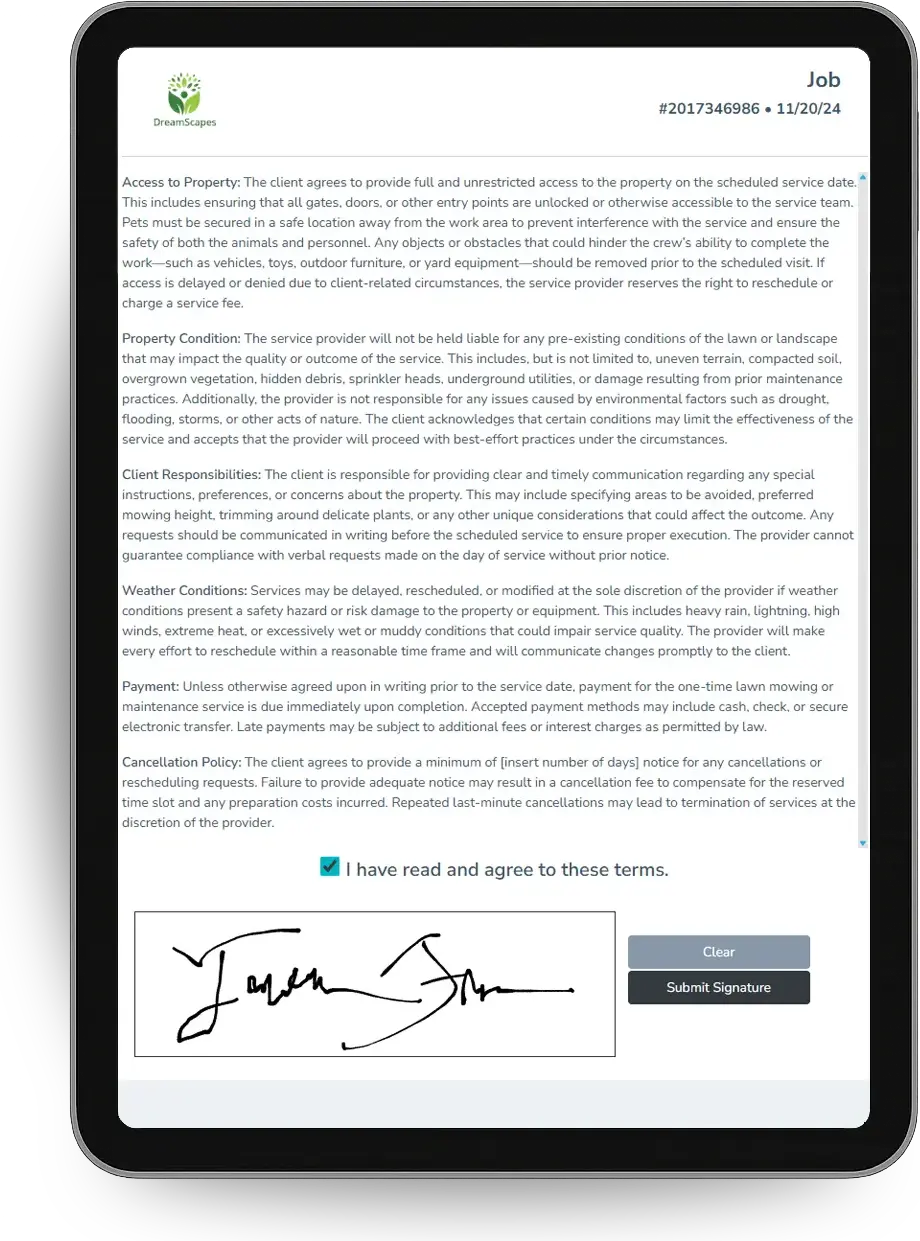
The storage agreement is signed online or on a tablet at the counter, and the signer's details are recorded with it.
See Contract Suprata Suite moduleSuprata Message
Text reminders before the due date and past-due text templates reach the tenants who ignore email.
See Message Suprata Suite moduleSuprata Report
Occupancy, aging and deposit reports show which units are earning and who owes what.
See ReportA day in the life with Suprata
One ordinary day, start to finish
Here is how the work flows when every call, job, booking and payment lives in one place.
-
8:00 am
Open the front desk
The front desk view lists today's move-ins, move-outs and any online bookings waiting for review.
-
9:15 am
New tenant at the counter
Staff book a 10x10 in the booking wizard and take the deposit. The tenant signs the agreement on a tablet, and the first month is prorated automatically.
-
11:00 am
Monthly walk
A staff member walks the buildings with a phone, rates each unit's door and lock, and photographs any damage on the audit walk.
-
1:30 pm
Work the overdue list
The aging report shows who is past due, and a past-due text goes out with a pay link that needs no login.
-
3:45 pm
Documents expiring
The Expiring Soon list shows insurance certificates lapsing next month, and reminder emails go out on their own.
-
9:00 pm
Settlement run
Tonight's run bills the tenants due tomorrow and adds late fees to balances past the grace period.
See it on screen
Real Suprata screens
Sample data, real software. Every screen below comes straight from Suprata.
Questions we hear
Straight answers
Asked by self-storage facilities before they switch.
Does Suprata open our gate or keypad?
No. Suprata Suite does not control gates or keypads. Keep your access system and use Suprata for units, billing, documents and payments.
How does move-in proration work?
Pick daily, half-month or calendar-month proration for each unit type. The first invoice is prorated, and later invoices bill the full month on your billing day.
Can I run a move-in special?
Yes. A package can bundle a unit type with a discounted first month and an add-on such as a lock, and the desk and your website book it the same way.
Can I bill electricity for climate-controlled units?
Yes. Utility meters on each unit feed readings into the monthly invoice, so tenants pay for what they actually use.
Something else? Call 888-494-4335, email hello@suprata.com or ask “Does Suprata do this?”
Close neighbors
Also built for



Ready when you are
Buy it tonight. Be running in minutes.
Start with Suprata Suite on your own, or let our team set it up around the way your self-storage business works.