
Suprata for IT services and managed service providers
Managed IT billing, tickets and devices in one place
A managed service provider bills a flat monthly fee, answers tickets all day and keeps track of every server and workstation it is responsible for. Suprata does all three. When a client quietly adds five workstations, you will know.
Sound familiar?
What a normal week looks like without the right system
We hear these from IT services and managed service providers all the time. Here is what Suprata does about each one.
Our clients pay a monthly fee, and every month somebody in the office builds the invoices by hand.
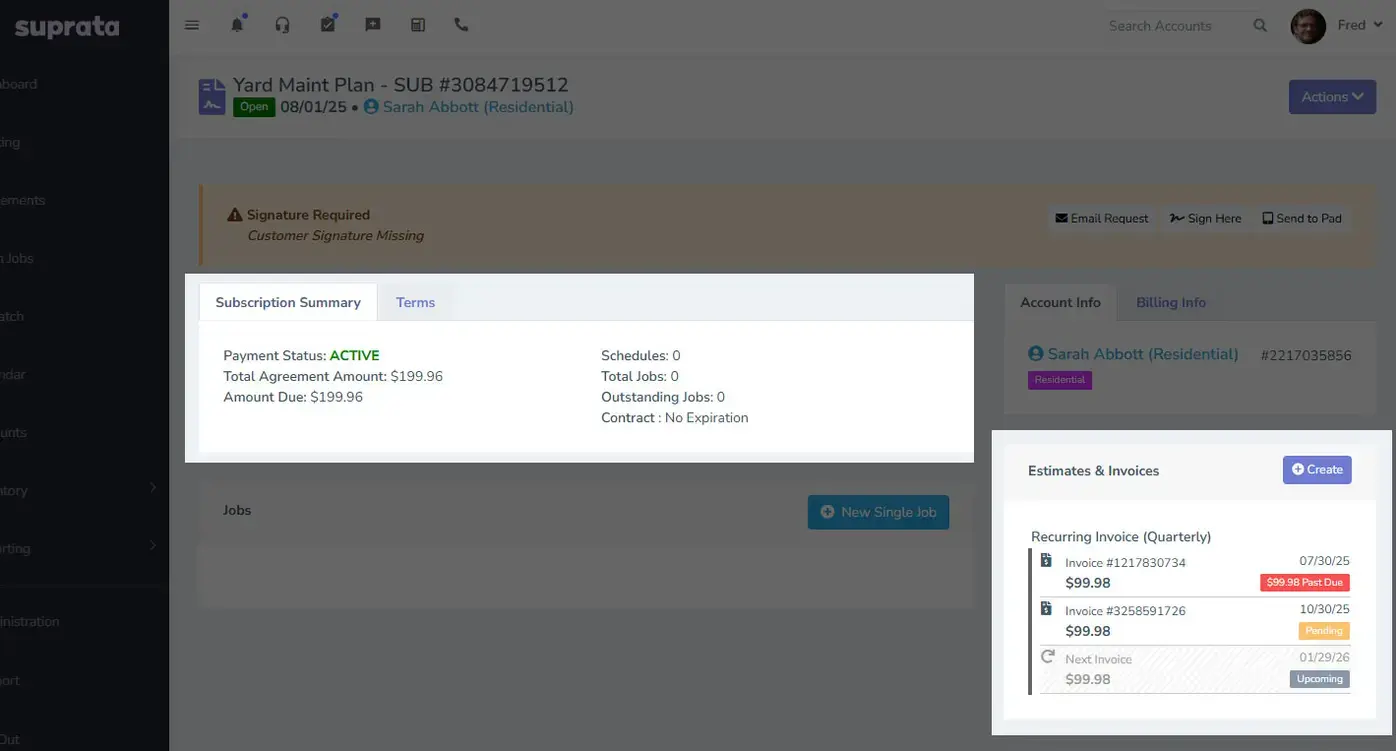
Each managed tier is a subscription with autopay, so the monthly fee charges and the receipt goes out on its own.
Client requests come in by email, phone and text to whoever they know. Things fall through.
Help desk tickets give every request an owner, a priority, a due date and a history, and clients can open them from the portal.
A client added five workstations and a server last year and we are still billing the old contract.
The IT Equipment forms record each device under contract, so a quarterly review shows what you manage against what you bill.
Some clients buy a block of hours. Tracking what they used is a mess.
Bill the block on a recurring invoice and log time on each job, so the monthly hours summary is easy.
What runs your day
The parts of Suprata that fit IT services and managed service providers
Suprata is a versatile workflow and business intelligence platform that delivers the power of custom software with ease and affordability. These are the pieces that matter most to you.
Suprata Subscribe
Managed tiers as subscriptions with autopay, and quarterly onsite visits as service agreements.
See Subscribe Suprata Suite moduleSuprata Tasks + Notify
Help desk tickets with categories, service levels, routing, claiming and internal notes.
See Tasks + Notify Suprata Suite moduleSuprata Forms
Computer Evaluation and IT Equipment forms for every device under management.
See Forms Built into the platformCustomer portal
Clients open tickets, pay invoices and keep a card on file in a branded portal.
See Customer portal Suprata Suite moduleSuprata Invoice
Recurring invoices for block hours and clean, specific line items for project work.
See Invoice Suprata Suite moduleSuprata Integrate
An API with webhooks and Zapier to connect the tools you already run.
See Integrate Suprata Suite moduleSuprata AI Assist
AI summaries at the top of each account and job, so whoever picks up a ticket has the context.
See AI AssistA day in the life with Suprata
One ordinary day, start to finish
Here is how the work flows when every call, job, booking and payment lives in one place.
-
7:30 am
Ticket queue
The level 1 tech opens My Tickets and claims two new ones from the shared pile.
-
8:15 am
Daily brief
The owner's brief shows overdue tickets, autopay failures and an agreement up for renewal.
-
10:00 am
Onsite visit
A quarterly maintenance visit, created by the client's agreement, takes a tech to their office.
-
1:30 pm
Device added
The tech adds a new server to the client's IT Equipment records with its specs.
-
3:00 pm
Remote support
A remote support job logs ninety minutes against the client's block of hours.
-
5:30 pm
Billing check
The office checks that this month's subscription charges went through on autopay, and receipts went out without anyone typing.
See it on screen
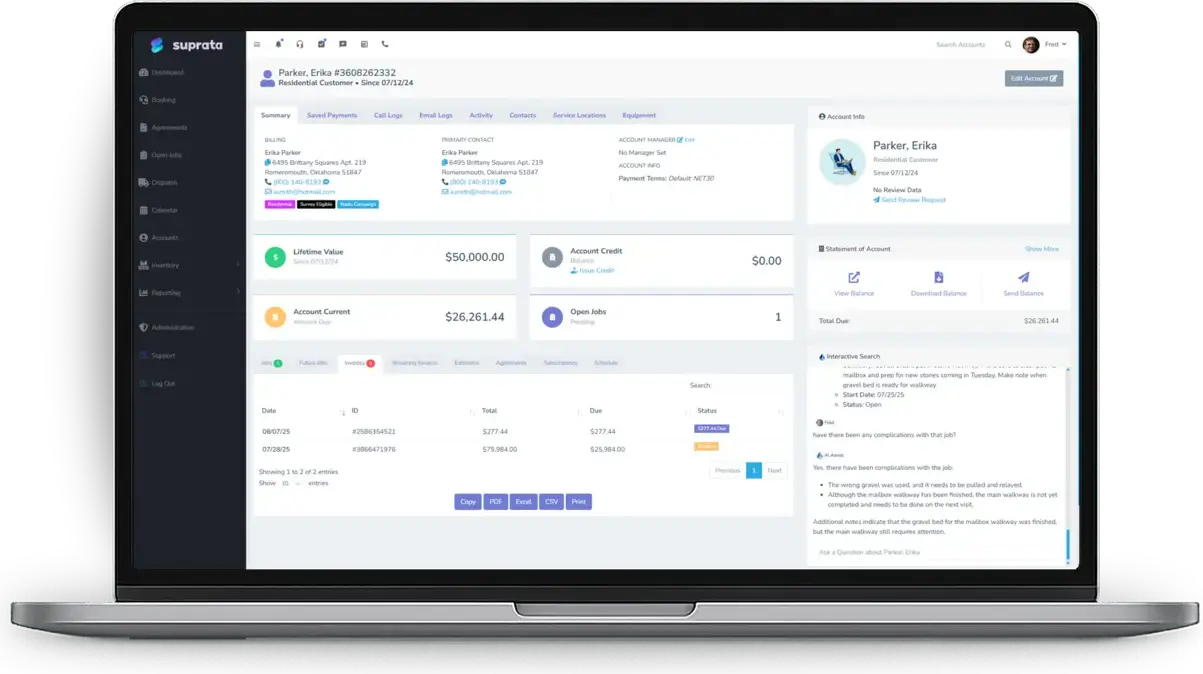
Real Suprata screens
Sample data, real software. Every screen below comes straight from Suprata.
Questions we hear
Straight answers
Asked by IT services and managed service providers before they switch.
Subscription, agreement or recurring invoice: which should we use?
Monitoring with no scheduled visits is a subscription. Quarterly onsite visits are a service agreement. Block hours fit a recurring invoice. Many providers use more than one.
Read: Subscriptions vs. Service Agreements vs. Recurring Invoices
Does it connect to our remote access tool?
Your remote tool stays separate. Log the session as a Remote Support job, and put your remote tool link in your customer emails.
Read: Setting Up Suprata for an IT Shop or Computer Repair Business
Do tickets have service levels?
Yes. Priorities carry due-date windows, and an Overdue tab shows anything past due.
Is there an API?
Yes. A REST API with scoped keys, signed webhooks and an event feed, and it works with Zapier.
Something else? Call 888-494-4335, email hello@suprata.com or ask “Does Suprata do this?”
Close neighbors
Also built for


Ready when you are
Buy it tonight. Be running in minutes.
Start with Suprata Suite on your own, or let our team set it up around the way your IT and MSP business works.