
Suprata for home inspectors
From the agent's call to the paid invoice, every inspection in one place
Inspection work runs on real estate agents, tight closing dates and a lot of photos. Suprata keeps each agent as one contact across all their buyers, captures your checklist and photos on site, and gets the invoice paid from a link before closing.

Sound familiar?
What a normal week looks like without the right system
We hear these from home inspectors all the time. Here is what Suprata does about each one.
Three agents send me most of my work, and I'm re-typing their info on every new buyer.
Each agent is one contact attached to every buyer's account, so their phone and notes follow them.
The buyer wants radon and a sewer scope added the night before, and the price changes.
Add-on services live on your price list and go on the job with a tap, and the invoice updates.
I take two hundred photos on a house and half of them end up on my phone, not with the job.
Photos attach to the job from the field with a timestamp and stay with that property.
Getting paid at closing means I'm chasing a title company for weeks.
The invoice goes out with a pay link that needs no login, so the buyer can pay by card that day.
What runs your day
The parts of Suprata that fit home inspectors
Suprata is a versatile workflow and business intelligence platform that delivers the power of custom software with ease and affordability. These are the pieces that matter most to you.
Suprata CRM
Agents as contacts across many buyer accounts, the same way property managers work.
See CRM Suprata Suite moduleSuprata Forms
A custom inspection checklist captures structured findings you can search across every house.
See Forms Suprata Suite moduleSuprata Job
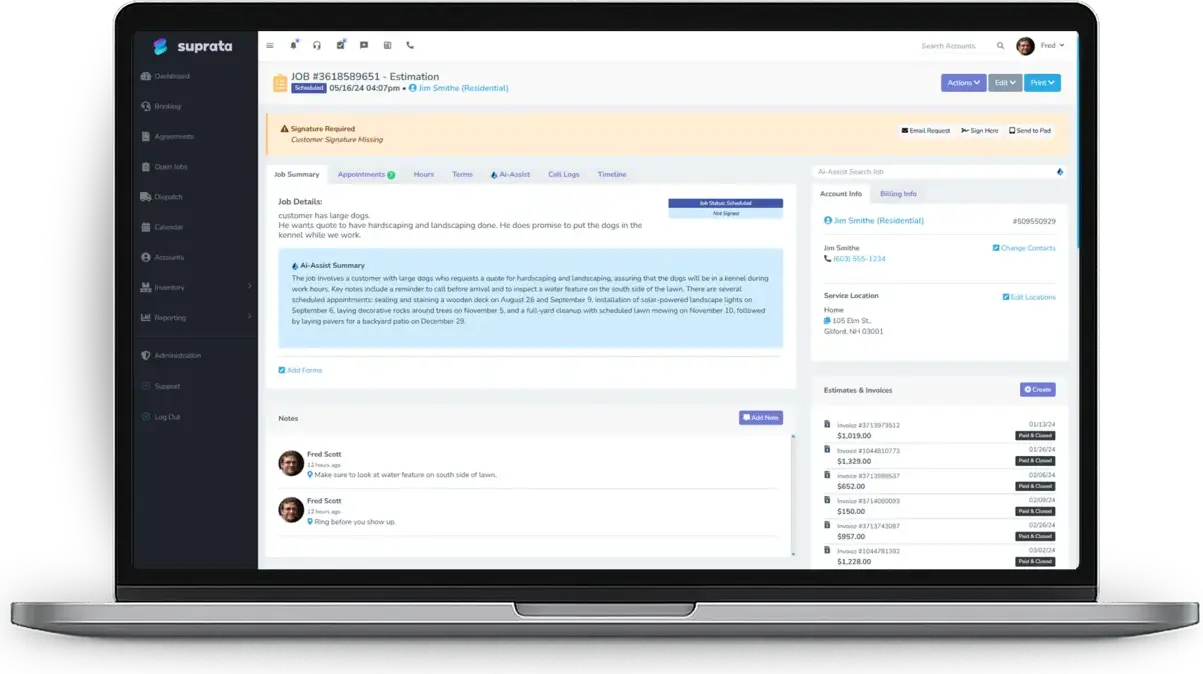
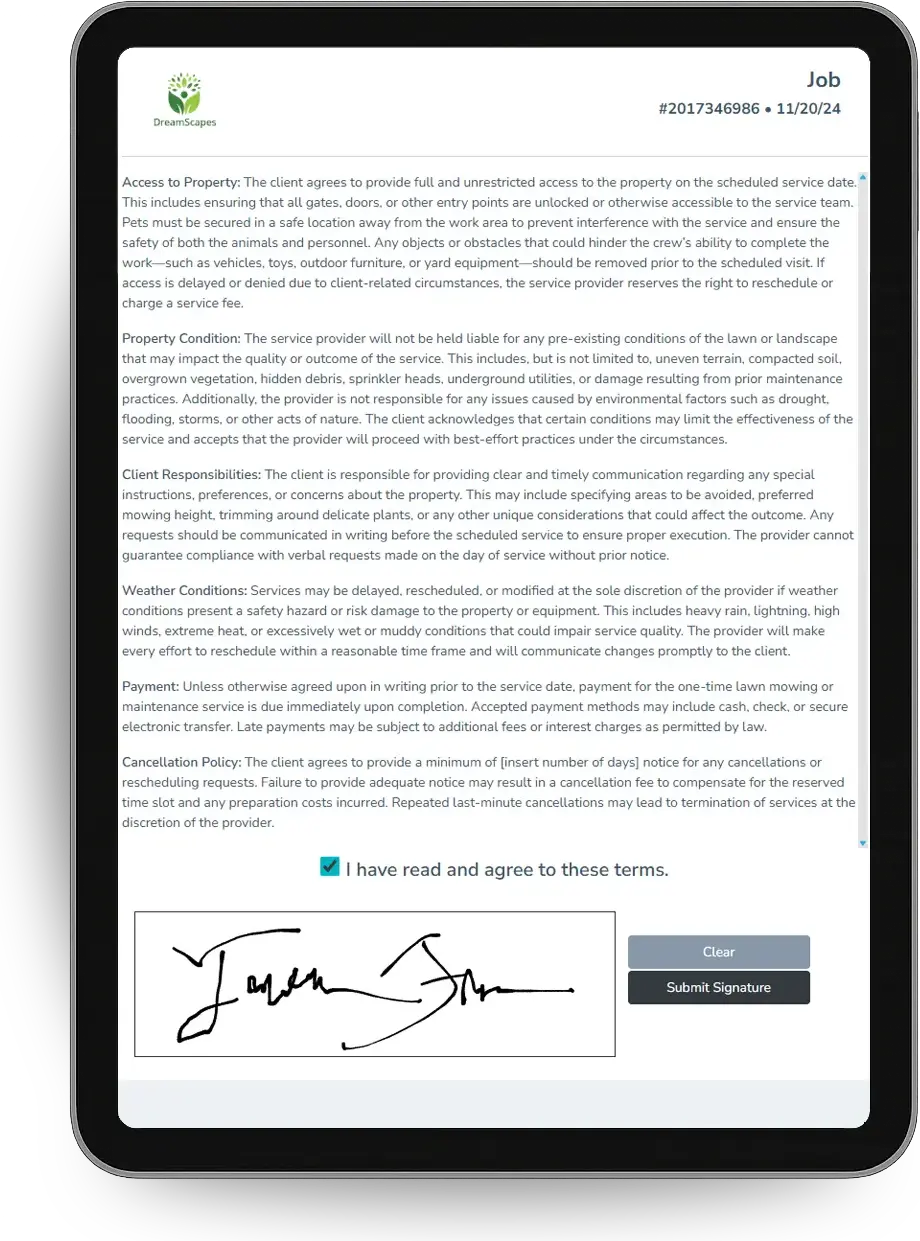
Timestamped photos, notes and the client's signature on the inspection agreement.
See Job Suprata Suite moduleSuprata Pay
A pay link with no login gets the buyer to pay before closing.
See Pay Suprata Suite moduleSuprata Message
Confirmations and reminders go to the buyer and the agent before the inspection.
See Message Suprata Suite moduleSuprata AI Assist
Account and job summaries give you the history on a house before you walk in.
See AI AssistA day in the life with Suprata
One ordinary day, start to finish
Here is how the work flows when every call, job, booking and payment lives in one place.
-
7:30 am
Agent's booking
An agent calls about a new buyer. The office opens a new account and attaches the agent, who is already a contact.
-
9:00 am
On site
You open the inspection job on a tablet, the checklist form already attached by job type.
-
10:30 am
Photos as you go
Roof, attic, electrical panel and crawl space photos attach to the job with timestamps.
-
12:00 pm
Add-on approved
The buyer adds a radon test on site. You add it to the job and the buyer signs on the tablet.
-
3:00 pm
Summary shared
You send the buyer and agent a shared note with the headline findings. It builds a Work Recap they can open or print.
-
5:00 pm
Paid before closing
The invoice goes out with a pay link and the buyer pays by card that evening.
See it on screen
Real Suprata screens
Sample data, real software. Every screen below comes straight from Suprata.
Questions we hear
Straight answers
Asked by home inspectors before they switch.
Can one agent be linked to many buyers?
Yes. A contact can sit on any number of accounts, so the agent appears on every buyer they send you.
Read: Working with Property Managers (One Contact, Many Accounts)
Does Suprata write my inspection report?
Suprata captures structured form fields, timestamped photos and shared notes, and the Work Recap gathers the notes into a page the client can open or print. It is not a narrative report writer with a defect library.
Read: Keeping customers updated: shared job notes and the Work Recap
Is there an inspection checklist form?
The standard library includes general forms you can tailor with the form builder, or Suprata can build a custom form for your inspection. Forms attach automatically by job type.
Can the buyer pay without making an account?
Yes. The invoice email has a pay link that needs no login.
Something else? Call 888-494-4335, email hello@suprata.com or ask “Does Suprata do this?”
Close neighbors
Also built for
Ready when you are
Buy it tonight. Be running in minutes.
Start with Suprata Suite on your own, or let our team set it up around the way your home inspection business works.