
Suprata for appliance repair companies
Appliance repair without lost serial numbers or second-visit chaos
Most appliance repairs take two visits: one to diagnose and one after the part arrives. Suprata keeps the model, the serial, the part order and the customer updates on one job. The customer always knows when you are coming back.
Sound familiar?
What a normal week looks like without the right system
We hear these from appliance repair companies all the time. Here is what Suprata does about each one.
The tech diagnoses the washer, then we spend twenty minutes on the phone asking the customer to read us the serial number again.
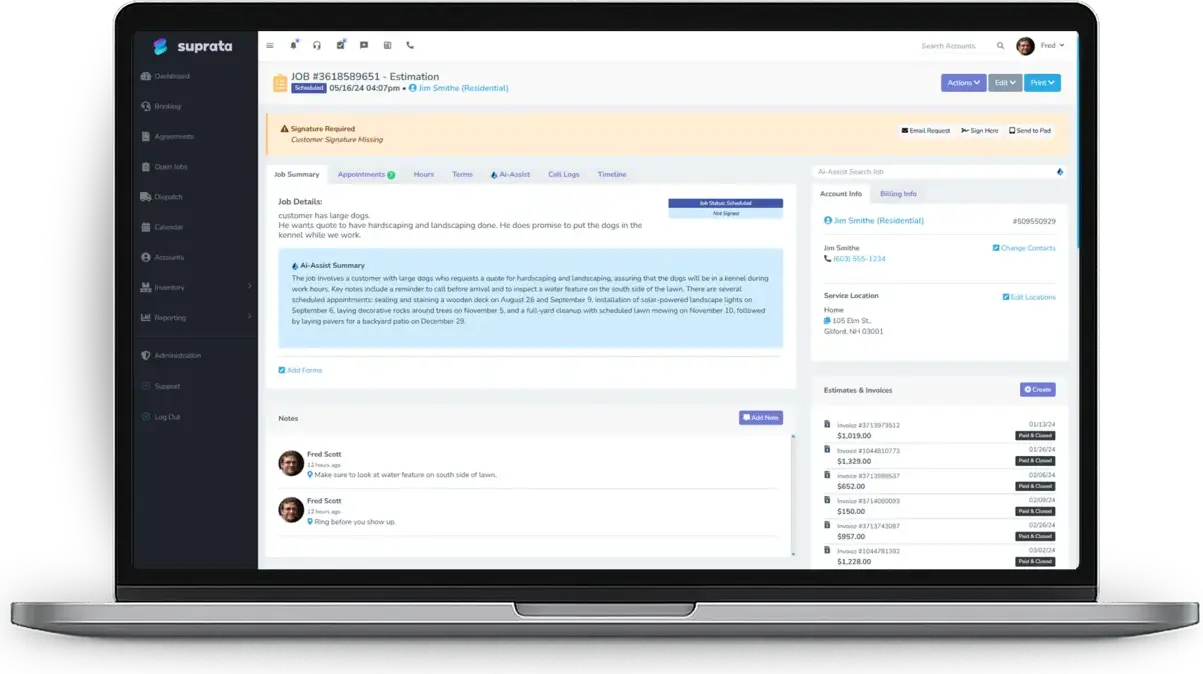
Model, serial and the reported problem go on the Equipment General form at the first visit, attached to the job.
The part is on back order and the customer keeps calling the office to ask when we are coming back.
The tech shares a note when the part is ordered, and the customer gets a text with a link to the job's Work Recap.
We charge a diagnostic fee, and people argue about it when they decide not to fix the dryer.
The fee is on the job before work starts, with a signature, and can be credited toward the repair if they go ahead.
Landlords and property managers want the bill, not the tenant who called us.
A billing account sends the invoice to the owner while the job stays on the property's history.
What runs your day
The parts of Suprata that fit appliance repair companies
Suprata is a versatile workflow and business intelligence platform that delivers the power of custom software with ease and affordability. These are the pieces that matter most to you.
Suprata Job
Diagnose, Awaiting Parts and return-visit flow on one job, with the Equipment General and General Warranty Claim forms.
See Job Suprata Suite moduleSuprata Vendor
Parts ordered from your distributors on purchase orders tied to the job.
See Vendor Suprata Suite moduleSuprata Message
Shared job notes and texts tell the customer what was found and when you are back.
See Message Suprata Suite moduleSuprata CRM
Landlords and property managers as billing accounts across many properties.
See CRM Suprata Suite moduleSuprata Schedule
Route optimization for a day of diagnostic calls across the service area.
See Schedule Suprata Suite moduleSuprata Pay
Pay links with no login, and cards on file for repeat landlord customers.
See PayA day in the life with Suprata
One ordinary day, start to finish
Here is how the work flows when every call, job, booking and payment lives in one place.
-
7:45 am
Route
Dispatch orders nine diagnostic calls by drive time.
-
9:00 am
Diagnose
The tech records the dishwasher's model and serial on the job and finds a failed pump.
-
9:25 am
Part ordered
The pump goes onto a purchase order to the parts distributor, and the job moves to Awaiting Parts.
-
9:30 am
Customer told
The tech shares a note: part ordered, expected Thursday. The customer gets a text with the Work Recap link.
-
1:30 pm
Landlord billing
A refrigerator repair at a rental is billed to the property owner's billing account.
-
4:45 pm
Parts arrived
Received parts are checked in, and return visits are booked for tomorrow.
See it on screen
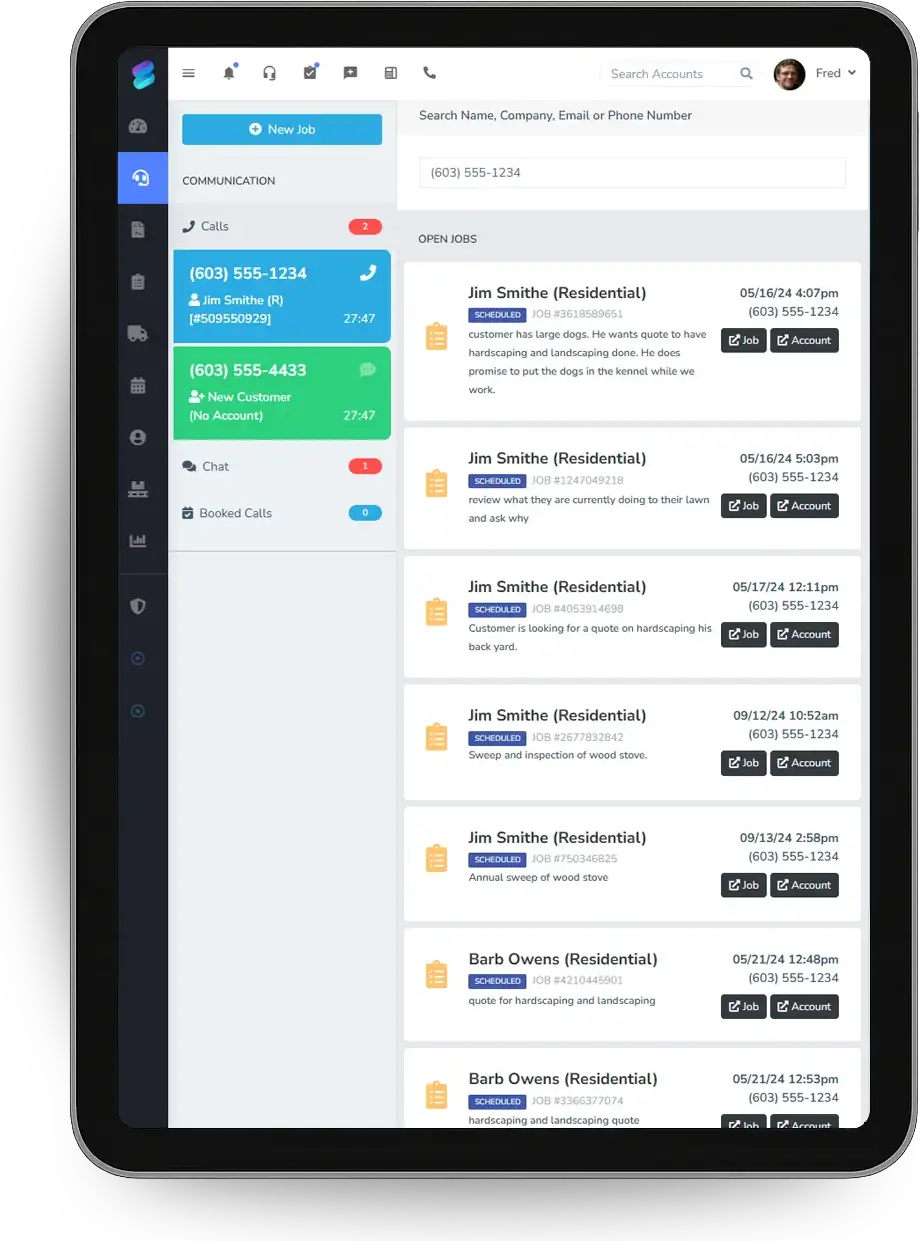
Real Suprata screens
Sample data, real software. Every screen below comes straight from Suprata.
Questions we hear
Straight answers
Asked by appliance repair companies before they switch.
Can we track warranty claims?
Yes. The General Warranty Claim form records the part, the failure and the coverage period on the job.
Can the customer see updates between visits?
Yes. Notes you share go to the customer by text or email and collect on a Work Recap page they can open any time.
Read: Keeping customers updated: shared job notes and the Work Recap
Can a property manager handle many properties?
Yes. One contact can sit on many accounts, so each property keeps its own bills and history.
Read: Working with Property Managers (One Contact, Many Accounts)
How do we track parts we ordered for a job?
Request parts from the job, put them on a purchase order to your vendor, and receive them into stock or straight to the job.
Something else? Call 888-494-4335, email hello@suprata.com or ask “Does Suprata do this?”
Close neighbors
Also built for

Ready when you are
Buy it tonight. Be running in minutes.
Start with Suprata Suite on your own, or let our team set it up around the way your appliance repair business works.