
Suprata for meeting rooms and coworking spaces
Rooms by the hour, desks by the month, members on autopay
A coworking space sells three things: time in a room, a desk or office by the month, and membership. Suprata books rooms in time slots, rents desks and offices as monthly reservations with proration, and bills members on autopay. Day passes come with a scannable proof for the front desk.
Sound familiar?
What a normal week looks like without the right system
We hear these from meeting rooms and coworking spaces all the time. Here is what Suprata does about each one.
Members double-book the big conference room and then argue about it in the kitchen.
Rooms are time-slot resources, so a second booking for the same hour is refused.
Every member who joins on the 18th means a prorated invoice I work out by hand.
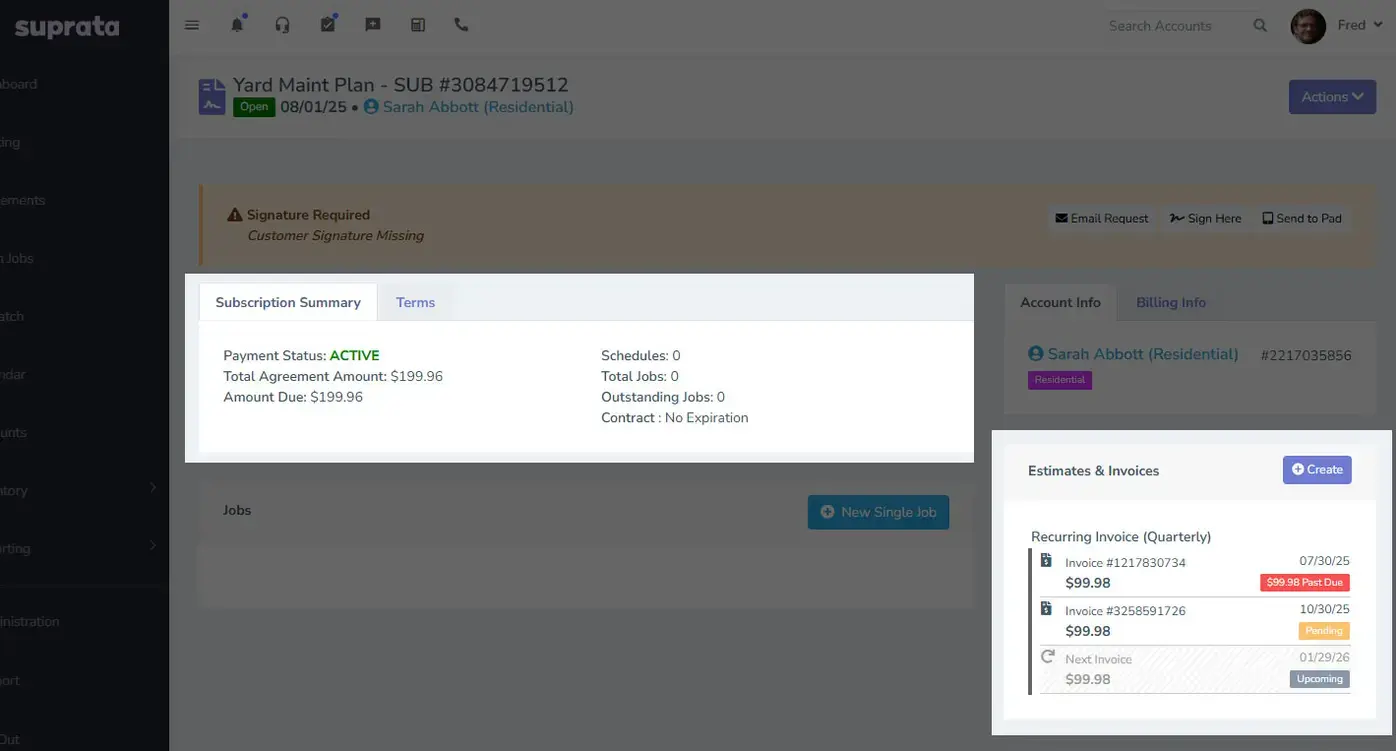
Desks and offices bill as monthly reservations, with daily proration on the first invoice.
Declined cards on membership dues pile up, and I find them at month end.
Memberships run on autopay from a saved card or bank account, and failed payments show on the accounting health page.
Only members should book the phone booths, but anyone off the street grabs them.
A booking type can require an active membership pass, so only members can book it, and everyone else sees why not.
What runs your day
The parts of Suprata that fit meeting rooms and coworking spaces
Suprata is a versatile workflow and business intelligence platform that delivers the power of custom software with ease and affordability. These are the pieces that matter most to you.
Suprata Reservations
Rooms book in time slots, and desks and offices are monthly reservations with proration and deposits.
See Reservations Suprata Suite moduleSuprata Subscribe
Memberships are subscriptions billed on autopay, with recurring revenue tracked.
See Subscribe Built into the platformCustomer portal
Members book rooms, swap the card on autopay and see receipts from a phone.
See Customer portal Suprata Suite moduleSuprata Pay
Saved cards and bank accounts, plus a till at the front desk for day passes and coffee.
See Pay Suprata Suite moduleSuprata Message
Text members about room changes, building notices and renewals.
See MessageA day in the life with Suprata
One ordinary day, start to finish
Here is how the work flows when every call, job, booking and payment lives in one place.
-
8:00 am
Front desk opens
Staff check today's room schedule and the members starting this week.
-
9:10 am
Day pass
A visitor buys a day pass at the desk. Staff scan the proof on their phone and mark it used.
-
10:00 am
Room booked from a phone
A member books the small conference room from 2 to 3 in the portal, and the invoice is created at booking.
-
12:30 pm
New office tenant
A two-person startup takes Office 4 from the 18th. The first invoice is prorated, and the rest bill on the 1st.
-
3:00 pm
Bigger room
A client meeting grows, so staff drag the booking to the large conference room.
-
5:30 pm
Dues check
Two failed membership payments show on the accounting health page, and those members update their card in the portal.
See it on screen
Real Suprata screens
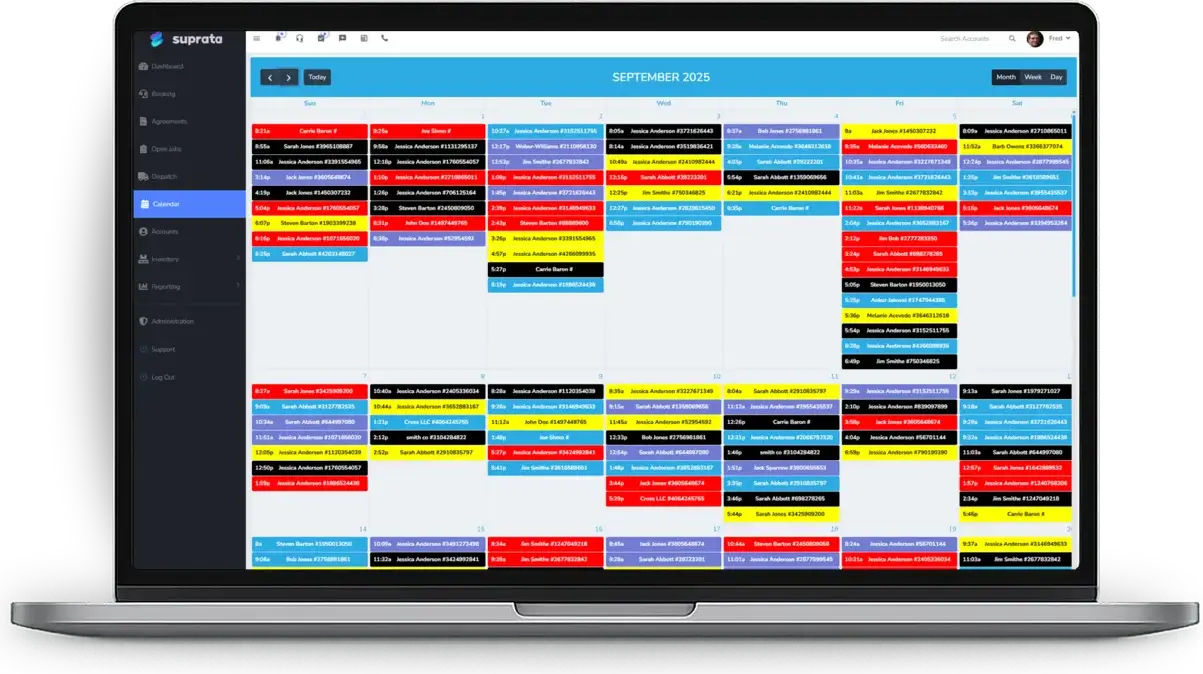
Sample data, real software. Every screen below comes straight from Suprata.
Questions we hear
Straight answers
Asked by meeting rooms and coworking spaces before they switch.
Can members book rooms themselves?
Yes, on the Book a Time page in the customer portal. Staff can still book and move bookings from the day schedule.
Does Suprata run door access or keycards?
No. Suprata Suite does not control doors or keycard readers. Staff check passes by scanning the proof.
How do memberships bill?
As subscriptions on autopay from a saved card or bank account.
Read: Subscriptions vs. Service Agreements vs. Recurring Invoices
Can I rent a dedicated desk by the month?
Yes. Each desk or office is a bookable asset on a monthly reservation, billed on schedule with proration and late fees.
Something else? Call 888-494-4335, email hello@suprata.com or ask “Does Suprata do this?”
Close neighbors
Also built for

Ready when you are
Buy it tonight. Be running in minutes.
Start with Suprata Suite on your own, or let our team set it up around the way your coworking business works.