
Suprata for foundations and funders
Grants out the door, reports back in, every dollar accounted for
Suprata Grants tracks every award, project, budget line, matching fund and reimbursement request, and your grantees get their own sign-in. Suprata Reporting collects periodic reports in one smart form that will not submit until the budget matches the award. Your board gets Suprata Agenda.

Sound familiar?
What a normal week looks like without the right system
We hear these from foundations and funders all the time. Here is what Suprata does about each one.
Our grantees email reports in five different formats, and my program officers retype them into a spreadsheet.
Suprata Reporting gives every grantee one form with measures, narrative and a budget grid, and staff export any query to Excel.
A partner asks for reimbursement, and I can't see how much of their budget is already spent.
Suprata Grants tracks each request against the project budget, with spent and remaining by category.
When a grant needs a cash and in-kind match, we track it on a sticky note until closeout.
The matching funds tracker splits cash and in-kind and shows progress against the amount required.
Every new fiscal year we rebuild our report forms from scratch.
One step rolls programs, questions, cycles and assignments forward to the next fiscal year.
What runs your day
The parts of Suprata that fit foundations and funders
Suprata is a versatile workflow and business intelligence platform that delivers the power of custom software with ease and affordability. These are the pieces that matter most to you.
Suprata Grants
Grants, projects, budgets, matching funds, reimbursements, extensions and files, with a partner sign-in.
See Grants Ready-made solutionSuprata Reporting
Periodic grantee reports with branching questions, a budget that must match the award, and review tools.
See Reporting Ready-made solutionSuprata Agenda
Board agendas, bookmarked packets, votes and minutes.
See Agenda Ready-made solutionSuprata Clearinghouse
A public library of the guides, toolkits and promising practices you fund.
See Clearinghouse Ready-made solutionSuprata Insights
Clean, comparable dashboards built from data many grantees send in.
See Insights Ready-made solutionSuprata Forms
Internal approvals for grant awards, payments and travel end in a signed PDF.
See FormsA day in the life with Suprata
One ordinary day, start to finish
Here is how the work flows when every call, job, booking and payment lives in one place.
-
8:30 am
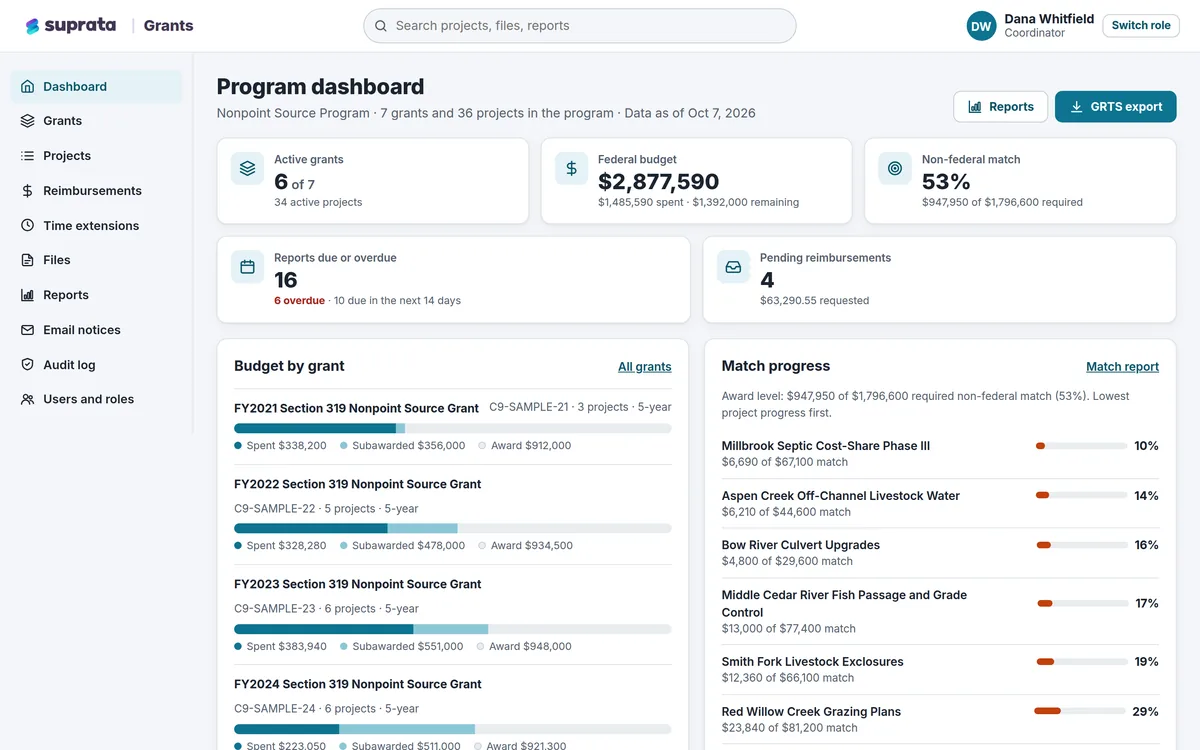
Program dashboard
Reports due in the next 14 days, overdue reports and pending reimbursement requests on one screen.
-
10:00 am
A reimbursement request
The program officer checks it against the project budget and approves it with a note to the partner.
-
11:30 am
A time extension
A partner asks for a new end date with a reason. Staff approve it, and the partner is emailed.
-
1:30 pm
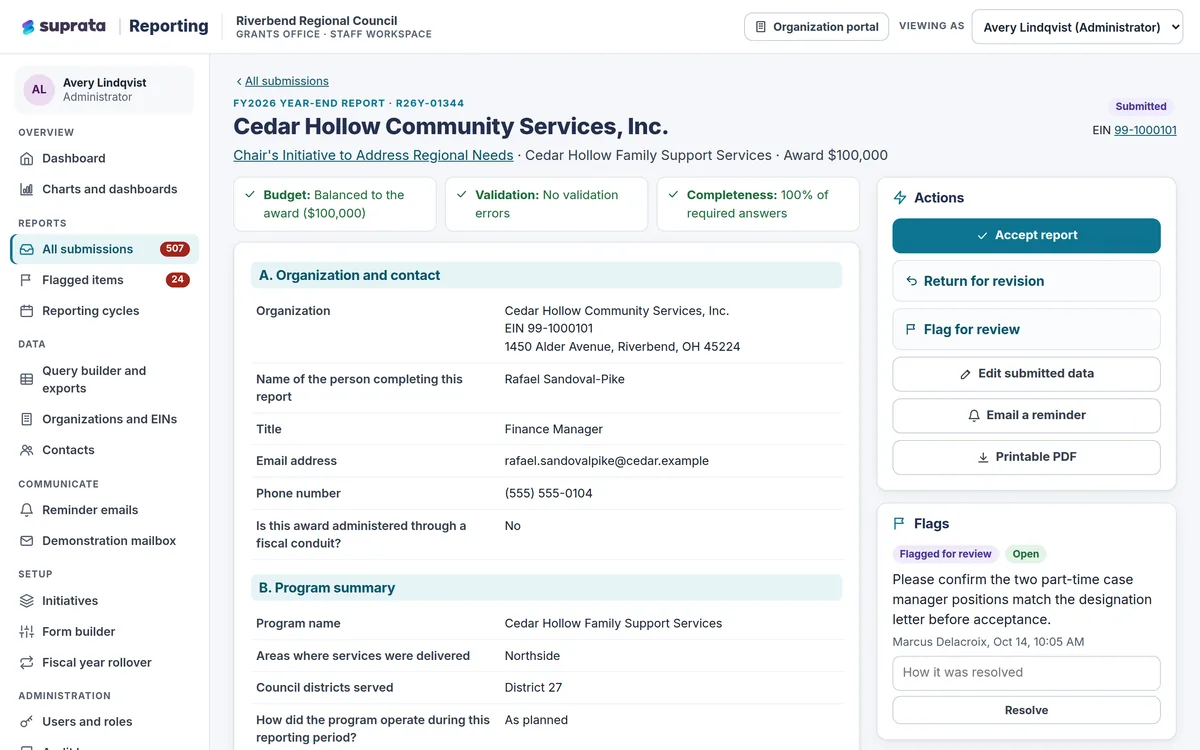
Flagged reports
The flagged view lists unbalanced budgets and incomplete drafts. A reviewer returns one with comments.
-
3:00 pm
Spending by program
Charts drill from category to program to organization, and the data downloads as CSV.
-
4:30 pm
Reminders go out
Scheduled reminder emails go to the contacts of every open report.
See it on screen
Real Suprata screens
Sample data, real software. Every screen below comes straight from Suprata.
Questions we hear
Straight answers
Asked by foundations and funders before they switch.
Do grantees get their own sign-in?
Yes. Partners sign in and see only their own active projects and reports, and their access ends automatically when a project closes.
Can staff fix a mistake in a submitted report?
Yes. Authorized staff can edit with a reason, and the change history keeps who, when, and the old and new value.
Can we export for our board and auditors?
Yes. Financial status reports by grant, project or partner download as a spreadsheet or PDF.
Is there an audit trail?
Yes. Every sign-in, change, upload, export and decision is logged, and entries cannot be edited.
Something else? Call 888-494-4335, email hello@suprata.com or ask “Does Suprata do this?”
Close neighbors
Also built for



Let’s talk
See it working with your own rules
Every Suprata solution is shaped around how your organization works. Book a demo and we will walk you through it, then talk pricing.