
Suprata for state agencies
Statewide programs, one clear record behind every decision
State agencies run programs through counties, local agencies, contractors and grantees. Suprata solutions give each partner its own view, keep the rules in dated versions staff can change, and record every decision in an audit trail.

Sound familiar?
What a normal week looks like without the right system
We hear these from state agencies all the time. Here is what Suprata does about each one.
Travel requests need five signatures, and the paper form walks from desk to desk for two weeks.
Suprata Forms routes each form to the right approvers based on the answers and ends in a signed PDF with an audit certificate.
Our counties each send a spreadsheet, and we cannot see the whole state until the end of the quarter.
Suprata Tax Relief Screening and Suprata Energy Assistance give the state office a statewide view of every county or local agency.
When the legislature changes the income limits, we wait months for a developer to update the system.
In Suprata Energy Assistance, income limits and benefit tables are dated rule versions that program staff schedule themselves.
Utility companies call every day to ask where their right-of-way permit stands.
Suprata Permits shows applicants every step and due date, and the public can verify any issued permit by its QR code.
What runs your day
The parts of Suprata that fit state agencies
Suprata is a versatile workflow and business intelligence platform that delivers the power of custom software with ease and affordability. These are the pieces that matter most to you.
Suprata Forms
HR, travel and finance forms that route themselves, collect unlimited e-signatures and end in a signed PDF.
See Forms Ready-made solutionSuprata Grants
State grants passed to local partners, with budgets, match, reimbursements and federal export fields.
See Grants Ready-made solutionSuprata Reporting
One portal for funded organizations to file reports, with review, flags and statewide queries.
See Reporting Ready-made solutionSuprata Energy Assistance
Statewide heating help and weatherization with duplicate checks across agencies and weekly vendor payments.
See Energy Assistance Ready-made solutionSuprata Permits
Highway, utility and right-of-way permits with map checks, fees, reviews and inspections.
See Permits Ready-made solutionSuprata Tax Relief Screening
Nightly screening of tax relief rolls with a risk score, a reviewer queue and a recovery ledger.
See Tax Relief Screening Ready-made solutionSuprata Training
Licensed and certified staff tracked by job title, with renewal reminders and audit-ready transcripts.
See TrainingA day in the life with Suprata
One ordinary day, start to finish
Here is how the work flows when every call, job, booking and payment lives in one place.
-
8:00 am
Approvals inbox
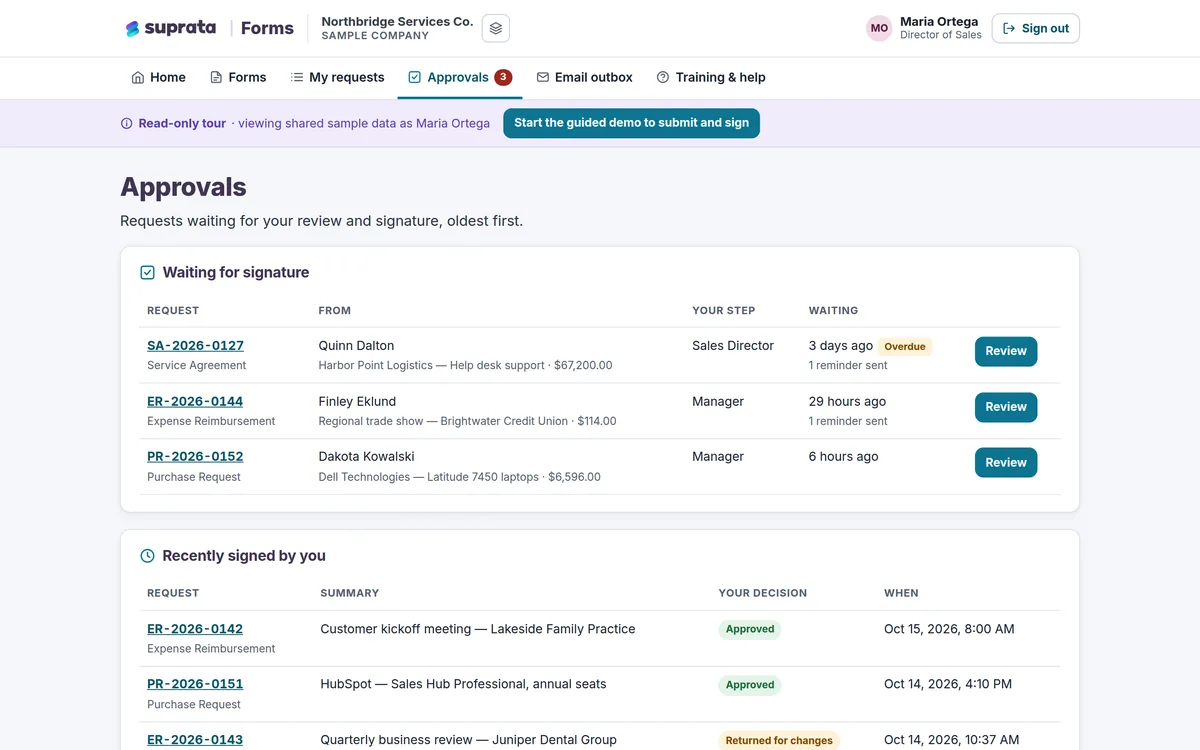
A division director approves three travel forms from a phone and returns one with a comment.
-
9:30 am
Statewide view
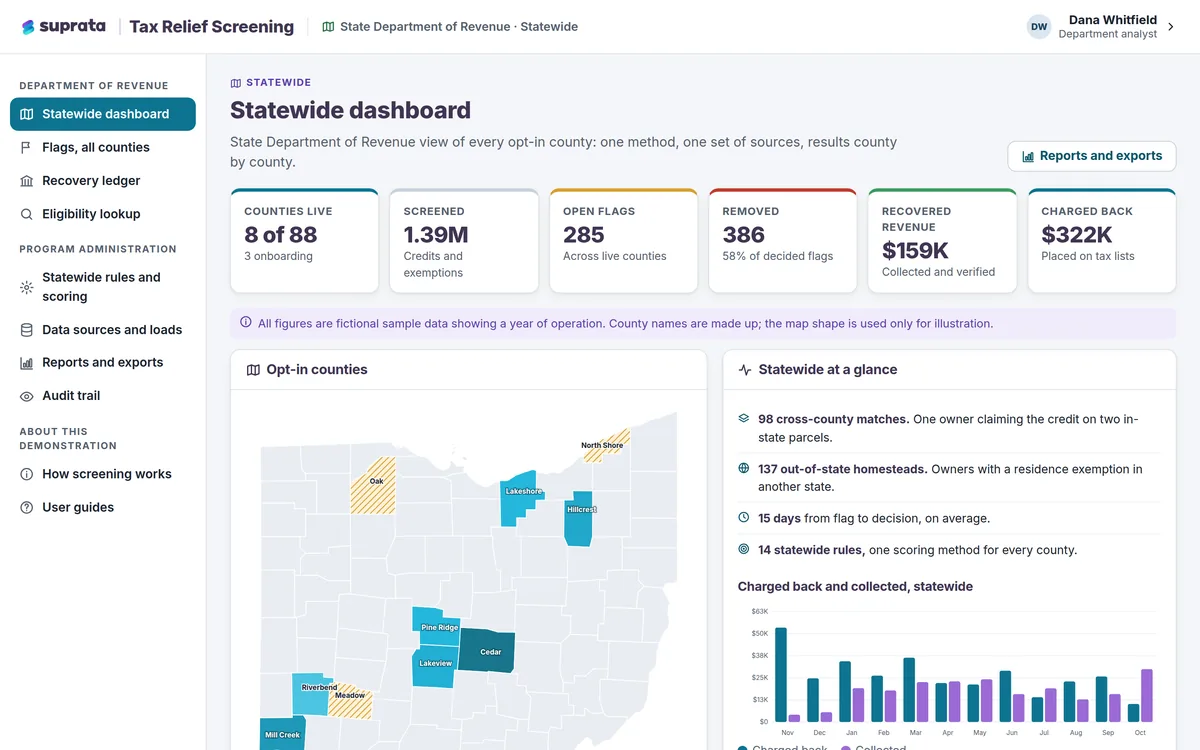
The program manager compares counties side by side and sees which ones have high-risk cases waiting.
-
11:00 am
Rule update
Program staff schedule next season's benefit increase as a new dated rule version.
-
1:00 pm
Permit review
A district engineer marks up plans on a utility permit and sends it to a parallel review.
-
3:00 pm
Grantee reports
Reviewers accept quarterly reports from grantees and flag one with a budget that does not balance.
-
4:30 pm
Audit request
Staff export the audit trail for a single case to answer an auditor's question.
See it on screen
Real Suprata screens
Sample data, real software. Every screen below comes straight from Suprata.
Questions we hear
Straight answers
Asked by state agencies before they switch.
Are there per-signature fees in Suprata Forms?
No. Signatures can be drawn, typed or reused from a saved signature, with no per-signature fees.
Can program staff change rules without a developer?
In several solutions, yes. Energy Assistance rules, Permits workflows and Training requirements are set up by staff without programming.
Can every action be audited?
Yes. Each solution keeps an audit log, and several, such as Settlement, Property and Tax Relief Screening, use tamper-evident trails.
Can we buy through a cooperative contract or an RFP?
Talk to us about your procurement path. Call 888-494-4335 or email hello@suprata.com.
Something else? Call 888-494-4335, email hello@suprata.com or ask “Does Suprata do this?”
Close neighbors
Also built for



Let’s talk
See it working with your own rules
Every Suprata solution is shaped around how your organization works. Book a demo and we will walk you through it, then talk pricing.