
Suprata for school districts
See which students need help this week, not next semester
A district runs classrooms, buses, buildings and a school board, and each one has its own paperwork. Suprata Insights pulls student data from your systems into dashboards for every role, and Suprata Planner helps teachers build small groups from scores. Forms, Agenda and Works take the paper out of the central office, the board room and the boiler room.
Sound familiar?
What a normal week looks like without the right system
We hear these from school districts all the time. Here is what Suprata does about each one.
By the time I see the chronic absence report, the kid has already missed a month.
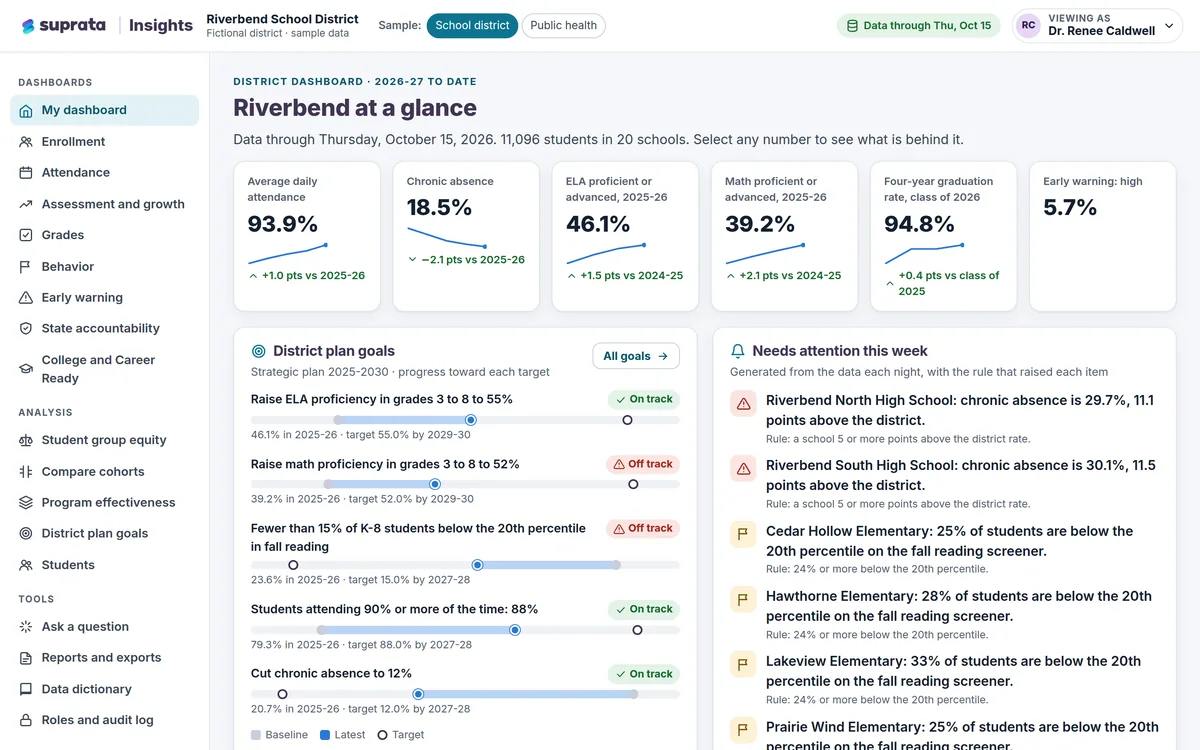
Insights refreshes nightly and flags students by attendance, behavior and course failures, with the reason for every flag.
Our teachers spend Sunday nights sorting kids into intervention groups by hand.
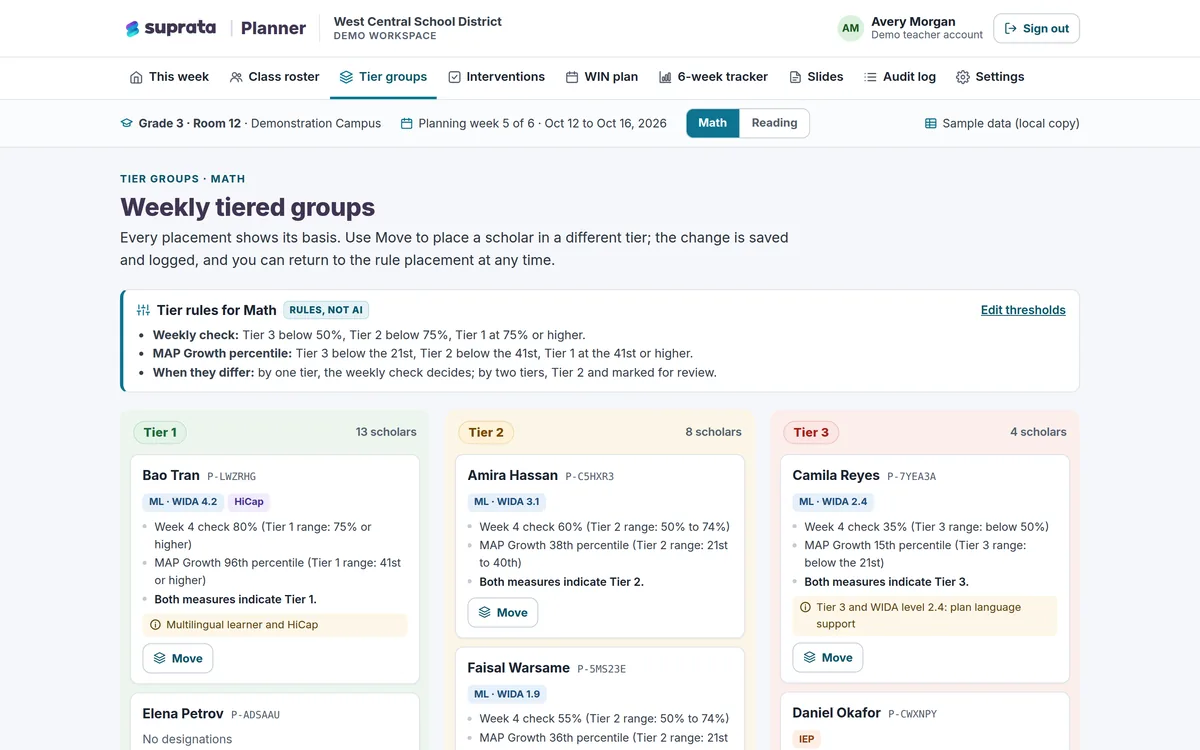
Planner places students in tiers by score thresholds you set and builds a five-day small-group schedule.
A field trip request needs five signatures and it is always stuck with someone on vacation.
Forms shows who approves each step, sends reminders and escalates to a backup approver after a set time.
Board packets are a binder for every member and the minutes take the clerk a week.
Agenda builds one bookmarked packet, records votes live and drafts minutes from the actions taken.
What runs your day
The parts of Suprata that fit school districts
Suprata is a versatile workflow and business intelligence platform that delivers the power of custom software with ease and affordability. These are the pieces that matter most to you.
Suprata Insights
Role-based dashboards for district leaders, principals, counselors and teachers, with early-warning flags and plain-English questions.
See Insights Ready-made solutionSuprata Planner
Weekly small-group planning that sorts students into tiers, suggests approved interventions and tracks progress.
See Planner Ready-made solutionSuprata Forms
Travel requests, extra-duty contracts and position postings that route themselves and end in a signed PDF.
See Forms Ready-made solutionSuprata Agenda
School board agendas, packets, votes, meeting video and minutes with a public portal.
See Agenda Ready-made solutionSuprata Works
Work orders, preventive maintenance and inspections for buildings, grounds and the bus fleet.
See Works Ready-made solutionSuprata Training
Required staff training and certifications tracked by job, with reminders before they expire.
See Training Ready-made solutionSuprata Volunteer
Screens and schedules parent volunteers, with background clearance dates and hours.
See VolunteerA day in the life with Suprata
One ordinary day, start to finish
Here is how the work flows when every call, job, booking and payment lives in one place.
-
7:00 am
Buses checked
A mechanic logs a pre-trip vehicle inspection, and a failed brake light becomes a work order.
-
8:15 am
Students to check on
A principal opens her building dashboard and sees three students newly flagged this week, with the reason for each.
-
10:00 am
Field trip approved
A teacher's travel request moves from principal to transportation to finance, with each signature stamped into the PDF.
-
12:30 pm
Small groups
A third-grade teacher reviews suggested interventions from the approved menu and accepts two.
-
2:30 pm
Plain-English question
The assistant superintendent asks for chronic absence by grade at one middle school and sees the exact query it ran.
-
6:30 pm
Board meeting
The school board votes from tablets, and the meeting video is indexed by agenda item.
See it on screen
Real Suprata screens
Sample data, real software. Every screen below comes straight from Suprata.
Questions we hear
Straight answers
Asked by school districts before they switch.
Does the AI decide which tier a student is in?
No. Planner places students by score thresholds you set. AI only suggests interventions from your approved menu, and teachers accept or dismiss each one.
Who sees student data?
Each role sees only its scope: the district, one building, a counselor's caseload or a teacher's own sections, and every student view is logged.
Are small groups protected in reports?
Yes. Groups under 10 students are suppressed everywhere, including exports, and demographics are never used as risk factors.
Does staff sign-in use our Google accounts?
Forms and Planner sign staff in with your school's Google accounts, and Forms keeps the staff directory in sync nightly.
Something else? Call 888-494-4335, email hello@suprata.com or ask “Does Suprata do this?”
Close neighbors
Also built for



Let’s talk
See it working with your own rules
Every Suprata solution is shaped around how your organization works. Book a demo and we will walk you through it, then talk pricing.